Sep 10, 2026
Top M12 Connector Manufacturers: 10 Global Brands Compared
Choosing an **M12 connector manufacturer** is not simply a matter of selecting the best-known name. The right supplier…

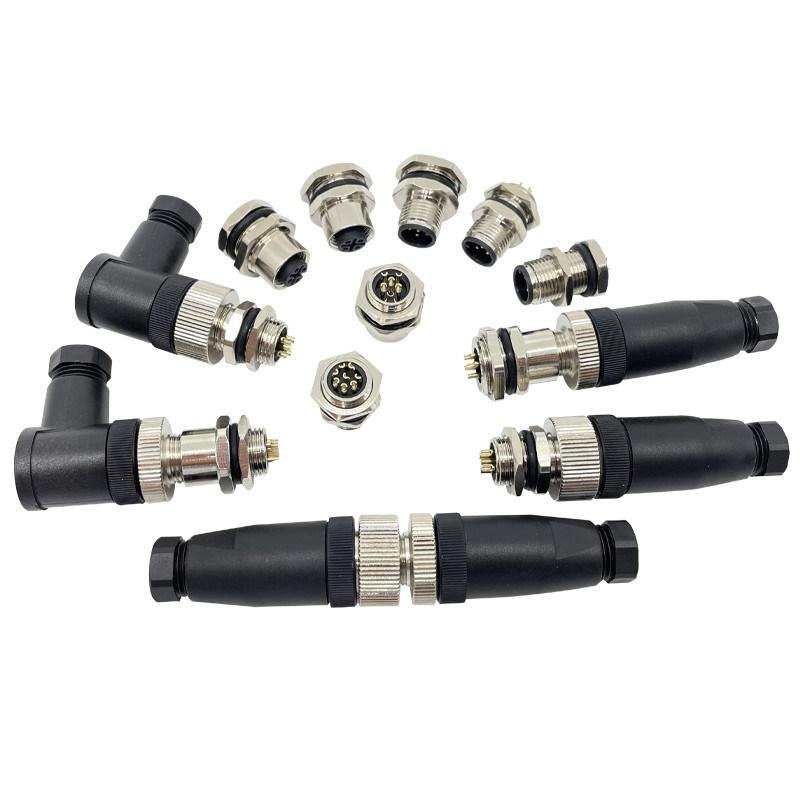
If you work with industrial sensors, actuators, or fieldbus networks, you’ve almost certainly dealt with M12 connectors. The metal threaded interface is standard across automation equipment worldwide. But the coding system — A, B, D, X, S, T, K, L — still causes confusion. This guide explains what each M12 coding type is for, how many pins it uses, and when you need it.
M12 is a circular connector with a 12mm thread diameter, standardized under IEC 61076-2-101. It’s the most common connector you’ll find on sensors, actuators, I/O modules, industrial cameras, and fieldbus devices in factory automation.
The metal coupling nut provides a secure, vibration-resistant connection. Depending on the model and assembly, M12 connectors can achieve IP65, IP67, or IP68 protection. You’ll see them on almost every production line, packaging machine, and robotic cell.
The coding determines the connector’s keyway — a mechanical notch that physically prevents you from plugging the wrong connector into the wrong port. If you try to connect an A-coded plug into a D-coded socket, it won’t fit. This is intentional. It protects your signals, your power, and your equipment.
Each coding type is designed for a specific application:
| Coding | Pin Count | Application | You’ll see this on |
|---|---|---|---|
| A-coded | 3, 4, 5, 8, 12, 17 pins | Sensors, actuators, DC power, basic signal transmission | Photoelectric sensors, proximity switches, solenoid valves, I/O modules |
| B-coded | 4, 5 pins | Fieldbus communication (Profibus DP, Interbus) | Profibus nodes, older fieldbus installations |
| D-coded | 4 pins | Industrial Ethernet (100 Mbit/s Fast Ethernet) | PROFINET, EtherNet/IP, EtherCAT devices, industrial switches |
| X-coded | 8 pins | Industrial Ethernet (up to 10 Gbit/s) | High-speed machine vision cameras, data-intensive automation systems |
| S-coded | 2 pins + PE | AC power supply, up to 630V / 16A | Motor connections, AC distribution in machines |
| T-coded | 2 pins + PE | DC power supply, up to 63V / 12A | Field power distribution, DC device power |
| K-coded | 4 pins + PE | AC power, up to 630V / 12A | High-power AC applications, drives |
| L-coded | 4 pins + PE / 2 pins + FE | DC power, up to 63V / 16A | Compact DC power supply for multiple devices |
A-coded M12 is what most engineers encounter first. It’s the standard interface for sensors and actuators on automated production lines. If you buy an inductive proximity sensor from SICK, an optical sensor from Keyence, or a magnetic switch from ifm, the M12 port is almost always A-coded.
The most common configurations:
For A-coded connectors, wire gauge typically ranges from 26 AWG to 18 AWG, depending on the pin count and current requirements. Most A-coded M12 cables in the market come in PVC or PUR jacket, with PUR being the default choice for environments with oil, coolant, or constant flex.
D-coded M12 connectors are built for Industrial Ethernet. They carry 4 pins — enough for 100 Mbit/s Fast Ethernet over twisted pair (two pairs: one for transmit, one for receive).
You’ll find D-coded M12 on PROFINET devices, EtherNet/IP nodes, and EtherCAT I/O modules. Compared to RJ45, M12 D-coded is far more robust. The threaded connection resists vibration, and with proper sealing, it keeps dust and moisture away from your Ethernet link.
A practical note: if you’re building a control cabinet that connects to a PROFINET network, the transition from internal RJ45 to field M12 almost always happens at a panel-mounted D-coded socket. These panel sockets give you the RJ45 on the inside, M12 on the outside.
X-coded M12 carries 8 pins and handles up to 10 Gigabit Ethernet. This matters if you’re running GigE machine vision cameras or handling large data streams in real time.
The key difference from D-coded: X-coded uses all four twisted pairs, exactly like a Cat6A RJ45. The shielding inside an X-coded connector is also more elaborate — each pair is individually shielded, and there’s an overall braid shield connecting to the metal housing.
X-coded connectors are bigger than A or D-coded, and you can’t accidentally mix them up. If your application doesn’t need more than 100 Mbit/s, stick with D-coded. It’s cheaper and the cables are lighter.
These four are newer additions to the M12 standard, designed specifically for power distribution. Before these existed, engineers often used 7/8″ connectors for power. Now, M12 power codes let you distribute AC or DC power using the same compact M12 form factor.
Quick rule of thumb:
If you’re retrofitting older machines, you might still see 7/8″ for power. But on new designs, the industry is moving toward M12 power codes. They’re smaller, lighter, and you can source everything from one connector family.
Yes. And the choice is usually about physical space and cable routing.
Angled connectors are available in field-wireable and molded versions. Molded is more reliable for washdown environments. Field-wireable gives you flexibility in the field but requires proper assembly to maintain the IP rating.
The two materials you’ll choose between for M12 cable assemblies:
| Material | Best for | Limitations |
|---|---|---|
| PVC | General industrial environments, indoor use, fixed installations | Not resistant to oil and coolant; stiffens in cold; not ideal for cable chains |
| PUR | Environments with oil, coolant, or weld splatter; cable chains and flex applications | Higher cost; higher minimum order quantities for custom lengths |
If you’re wiring sensors on a machine tool where cutting fluid is present, go with PUR. If it’s a clean indoor environment with fixed cable routing, PVC will do the job at lower cost. Some customers request TPU, low-smoke halogen-free, or other specialty jackets — those are available but usually require a minimum order quantity discussion with the manufacturer.
Shielding matters when your M12 cable runs near VFDs, motor cables, or other sources of electromagnetic noise.
A real-world example: you have an analog 4-20mA sensor signal running alongside a motor power cable in the same cable chain. Without shielding, the motor’s switching noise can couple into the sensor line and give you unstable readings. Shielded M12 cable solves this.
When you request M12 connectors from a manufacturer, these are the parameters you’ll need to specify:
Sending a datasheet, drawing, or even a photo of your current part helps a lot. It lets the manufacturer match the interface, dimensions, and wiring diagram before quoting.
At NITAI Electronics, M12 connectors are one of our three main product categories. We manufacture and supply:
If you have a specific M12 cable specification or need a sample tested on your equipment, we can quote based on your drawing or datasheet. Custom cable lengths and special cable materials are supported — MOQ will be confirmed during evaluation.
Choosing an **M12 connector manufacturer** is not simply a matter of selecting the best-known name. The right supplier…
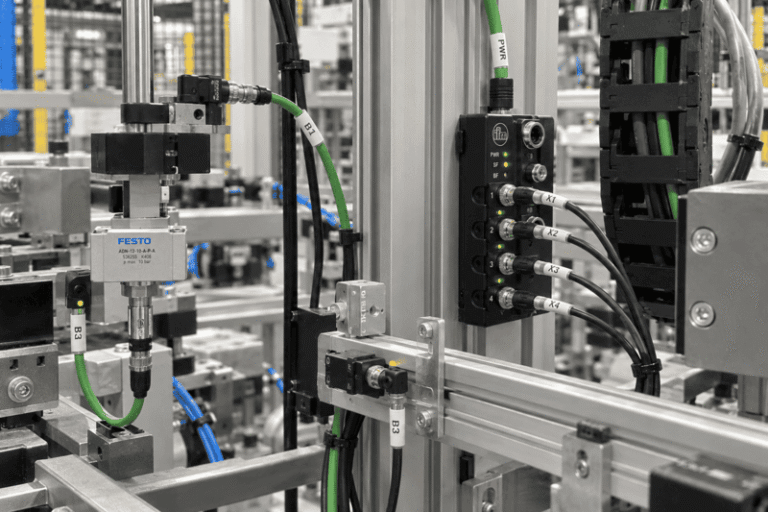
An **M8 connector** is used when industrial equipment needs reliable signal, power, or data connections in a compact…
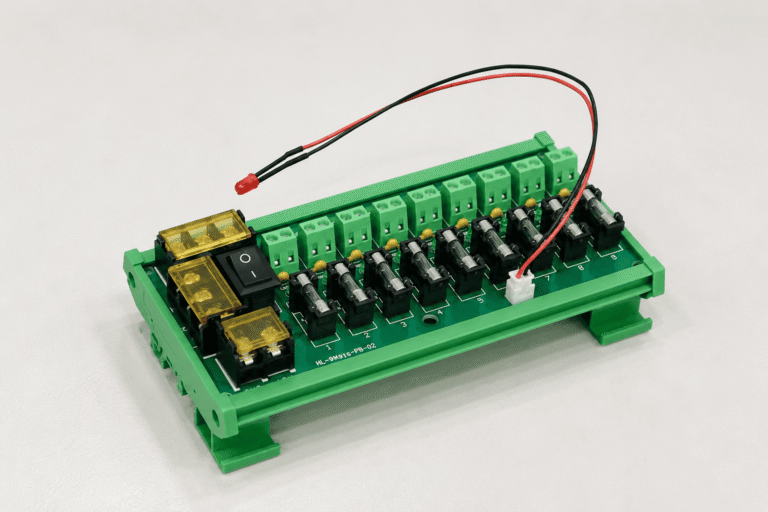
A complete 12V power supply box is not simply a 12V power adapter. It normally combines an AC-to-DC…
NITAI manufactures terminal blocks, M8/M12 waterproof connectors and industrial distribution modules for global OEMs, distributors and automation customers.
[…] For more detail on M12 coding, see our M12 connector coding guide. […]