Oct 17, 2026
How Do I Choose the Right M8 8 Pin Female Connector for My Equipment?
An M8 8 pin female connector can look like the right replacement on a purchasing list and still…

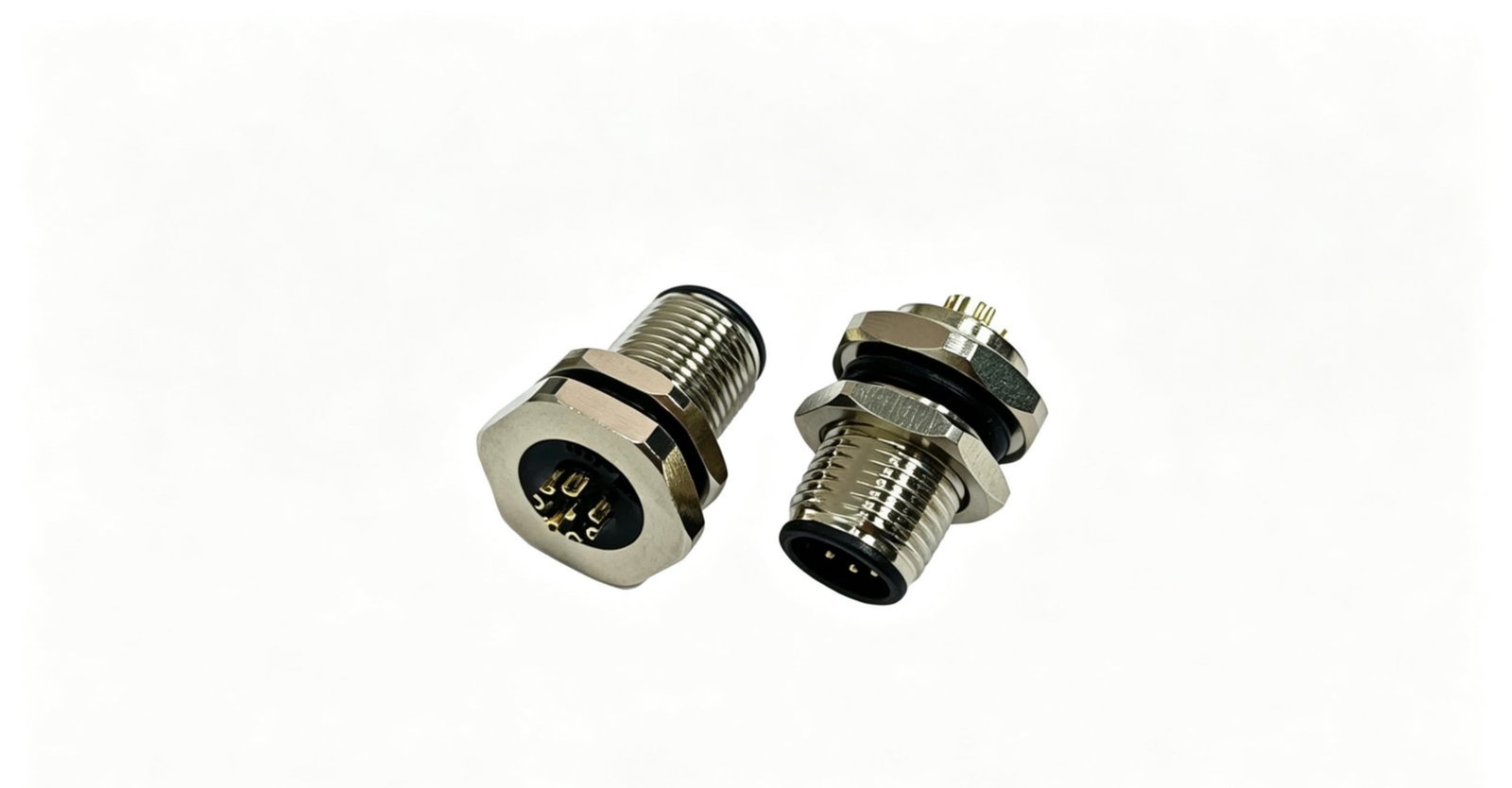
When I review an M12 A-coded connector pinout, I often find that the pin count is treated as if it answers every wiring question. That assumption can cause reversed signals, damaged equipment, and incorrect replacement orders. I use the pin number, viewing direction, keyway, wire color, signal function, and part number together to confirm compatibility.
An M12 A-coded connector pinout is not a universal wiring rule.1 Typical 3-pin, 4-pin, and 5-pin configurations provide a useful starting point2, but I always verify the connector gender, viewing direction, pin numbering, keyway, wire colors, signal functions, and exact part number against the equipment or manufacturer drawing. Pin 2 and Pin 5 can have different functions depending on the device and application.
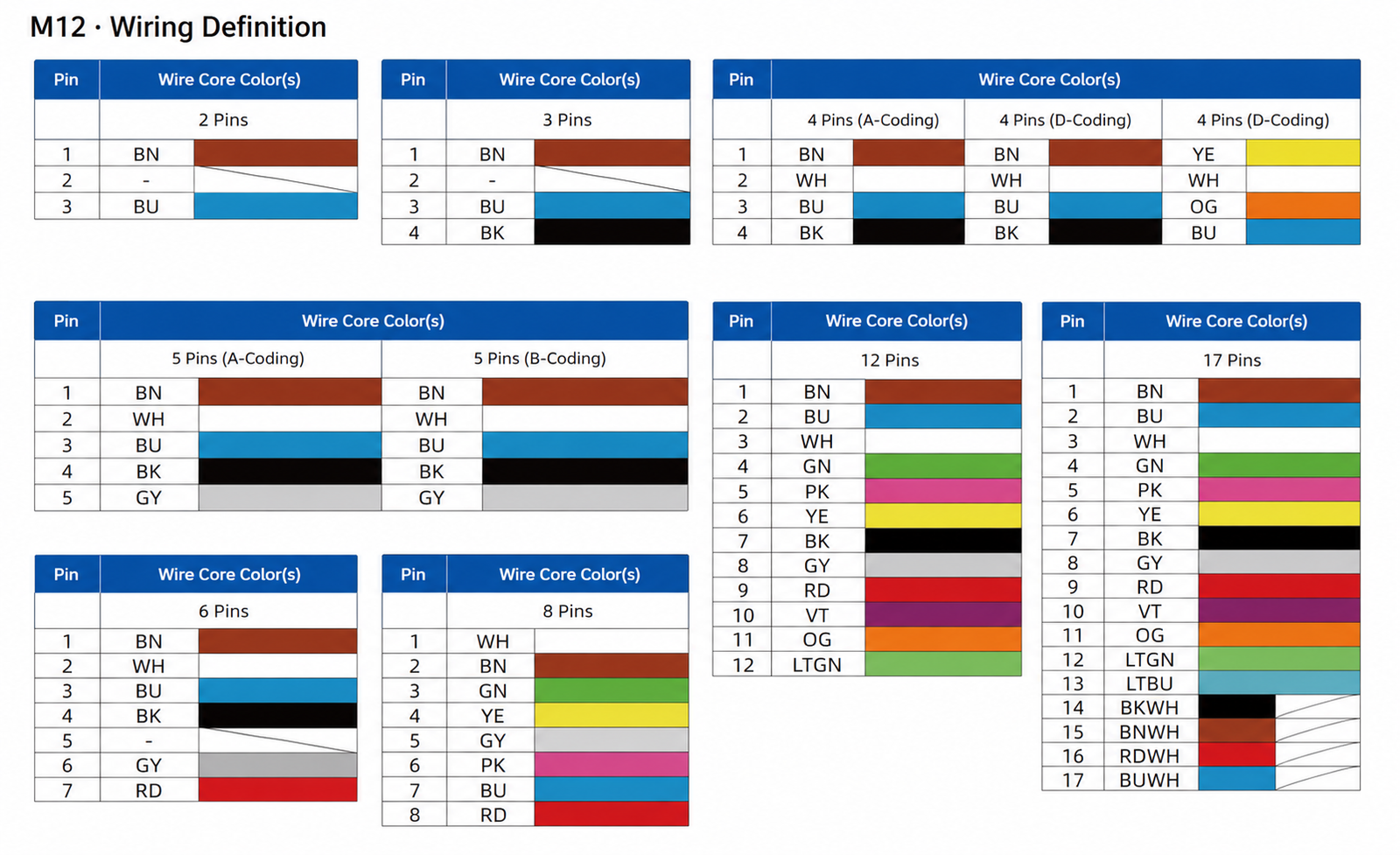
The tables below show common industrial configurations that I encounter in sensor, actuator, PLC, and automation cable assemblies. I will then explain why the same connector can appear different from the mating face and cable side, how common wiring errors occur, and how I confirm a customer drawing before NITAI produces or recommends a cable.
An M12 A-coded connector pinout identifies the physical contact positions and their assigned electrical functions in an M12 circular connector. I use it to compare a connector with a device socket, sensor, actuator, PLC module, or cable assembly. The pinout must match mechanically and electrically before I consider a replacement suitable.
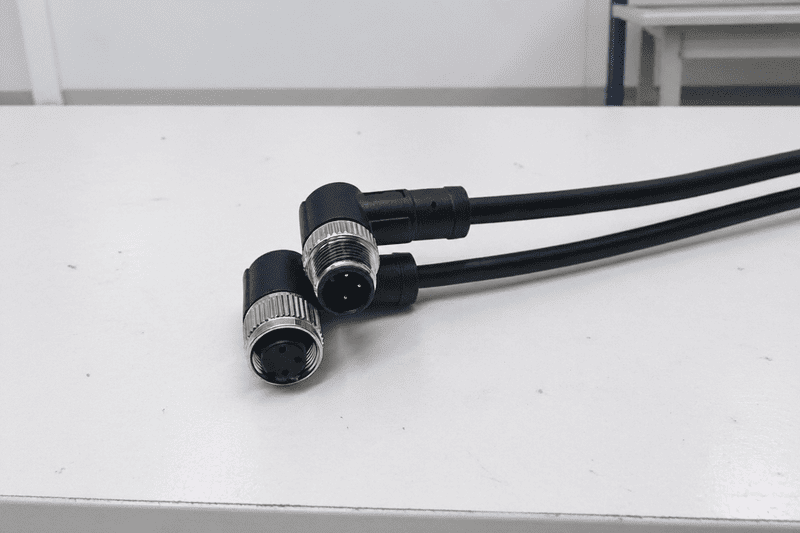
An M12 A-coded connector commonly uses screw-locking or similar industrial connection systems for sensors, actuators, control equipment, and field wiring. The A-code key prevents many incorrect mating combinations3, but it does not prove that two connectors with the same pin count have the same signal assignment.
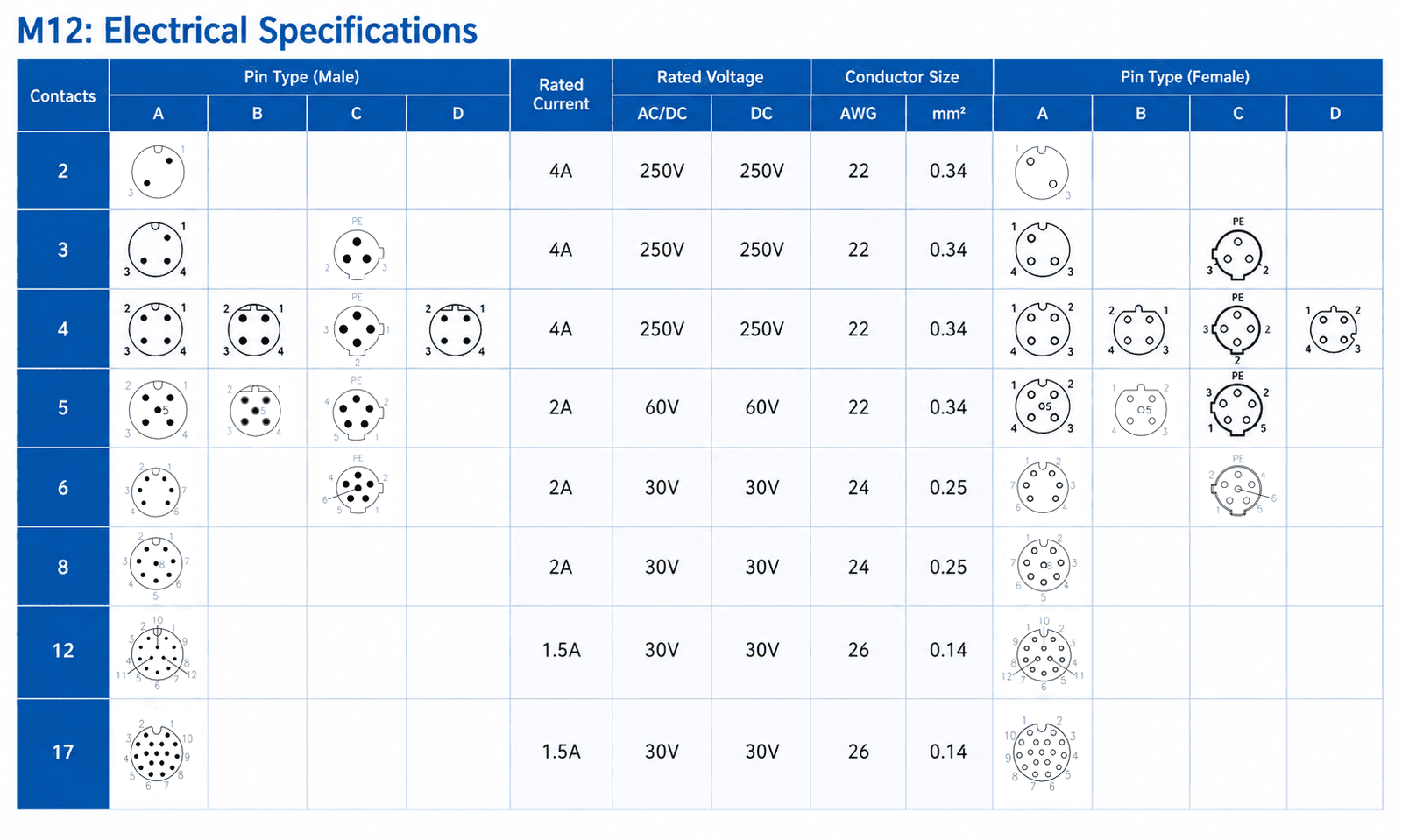
The pin count limits the number of available conductors, but it does not define the complete circuit. I may see two 4-pin M12 cables that have different signal assignments because one serves a sensor and another serves an actuator or a manufacturer-specific device.
When I evaluate a connector, I separate the following questions:
A connector can have the correct M12 thread and still be unsuitable because the keyway, gender, contact arrangement, or signal definition differs.
A typical 3-pin M12 A-coded pinout often uses Brown for positive supply, Blue for 0 V or negative supply, and Black for a switching signal.4 I treat this as a common sensor configuration, not a universal standard. I confirm the assignment with the device drawing before wiring or ordering a replacement cable.
| Pin | Typical wire color | Commonly used function | My verification note |
|---|---|---|---|
| Pin 1 | Brown | +V DC, often +24 V DC | Confirm the device supply voltage |
| Pin 2 | White | Signal, auxiliary function, or unused | Do not assign mechanically |
| Pin 3 | Blue | 0 V DC or negative supply | Confirm polarity |
| Pin 4 | Black | Switching or output signal | Confirm PNP, NPN, or other function |
| Pin 5 | Gray | Usually unavailable in a 3-pin assembly | Confirm whether the connector actually has five contacts |
For a simple three-wire sensor, I often encounter Brown as the positive supply conductor, Blue as the 0 V conductor, and Black as the output conductor. This arrangement is common in industrial automation, but I do not use color alone as proof.
I check the following information:
Pin 2 deserves particular care. In a three-pin connector, it might not be present as a physical contact. In another product with a different contact arrangement, Pin 2 may carry a signal or auxiliary function. I never infer a function from its position without documentation.
A typical 4-pin M12 A-coded pinout often uses Brown for positive supply, Blue for 0 V, Black for one signal, and White for a second signal. I frequently see this arrangement in proximity sensors, photoelectric sensors, actuators, and industrial I/O equipment.5 I still confirm the signal type and pin assignment from the relevant drawing.
| Pin | Typical wire color | Commonly used function | My verification note |
|---|---|---|---|
| Pin 1 | Brown | +V DC, often +24 V DC | Check the specified voltage |
| Pin 2 | White | Signal 2, teach input, or device-specific function | Never assume one fixed function |
| Pin 3 | Blue | 0 V DC or negative supply | Confirm the return circuit |
| Pin 4 | Black | Signal 1 or switching output | Check output behavior and polarity |
| Pin 5 | Gray | Usually unavailable in a 4-pin assembly | Confirm contact count and drawing |
I often see wiring discussions that treat Pin 2 as a fixed signal. That approach is risky. Pin 2 may carry a second switching output, an analog signal, a teach input, a diagnostic line, or another device-specific function.6
For example, one sensor may use:
Another device may use Pin 2 for an auxiliary input or leave it unused. The contact position stays the same, but the electrical meaning changes.
I recommend recording both the physical and electrical information in a purchase specification:
M12 A-coded, 4-pin, male or female, contact view specified, Pin 1 = ..., Pin 2 = ..., Pin 3 = ..., Pin 4 = ..., cable length = ..., wire color = ..., part number = ...
That format reduces ambiguity during supplier communication. At NITAI, I often ask customers to send the product label, wiring drawing, or a clear connector photograph when their description only says “4-pin M12 cable.”
A typical 5-pin M12 A-coded pinout commonly uses Brown, White, Blue, Black, and Gray conductors.7 Pin 1 is often the positive supply and Pin 3 is often the 0 V return, while Pins 2, 4, and 5 may carry different signals depending on the equipment. I always treat the full drawing as the controlling reference.
| Pin | Typical wire color | Commonly used function | My verification note |
|---|---|---|---|
| Pin 1 | Brown | +V DC, often +24 V DC | Confirm voltage and supply role |
| Pin 2 | White | Auxiliary, analog, switching, or device-specific signal | Do not assign automatically |
| Pin 3 | Blue | 0 V DC or negative supply | Confirm polarity and circuit design |
| Pin 4 | Black | Main output, signal, or communication line | Confirm the signal type |
| Pin 5 | Gray | Auxiliary, shield-related, signal, or device-specific line | Never assume a fixed function |
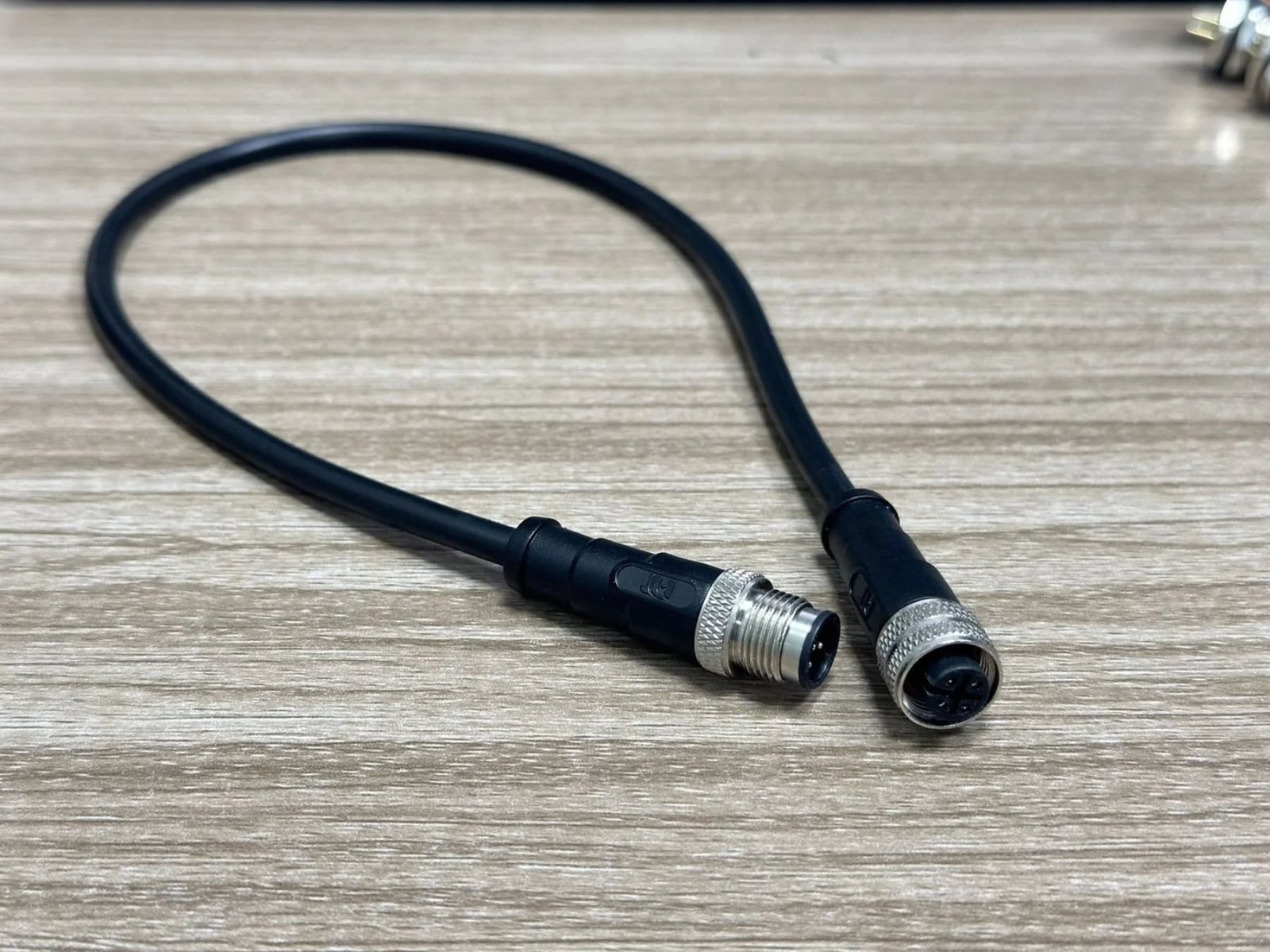
Pin 5 is not a universal “signal” or “ground” position. I may see it assigned to an auxiliary output, a second analog line, a device-specific input, or another function. Some products use only four electrical circuits even when a five-contact connector is available. Other products use all five contacts.
I therefore confirm:
I also check whether the cable assembly has a molded connector, field-wireable connector, right-angle connector, or panel-mount receptacle. These construction details can affect the viewing direction and the way the drawing represents the contacts.
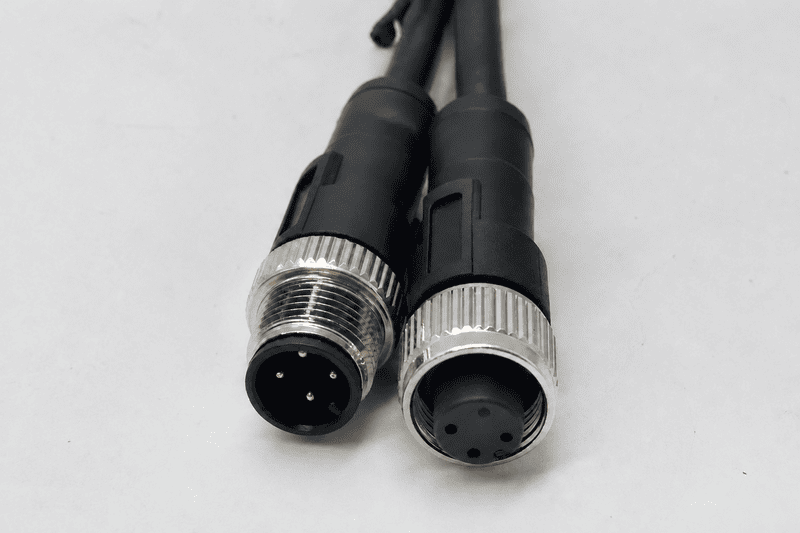
Male and female M12 connectors can show different visual arrangements when I view them from opposite sides.8 A mating-face drawing shows the contact side that faces the other connector. A cable-side drawing shows the termination side where the conductors are connected. I must identify the viewing direction before I mirror or transfer any pin order.
A reliable drawing should state one of the following:
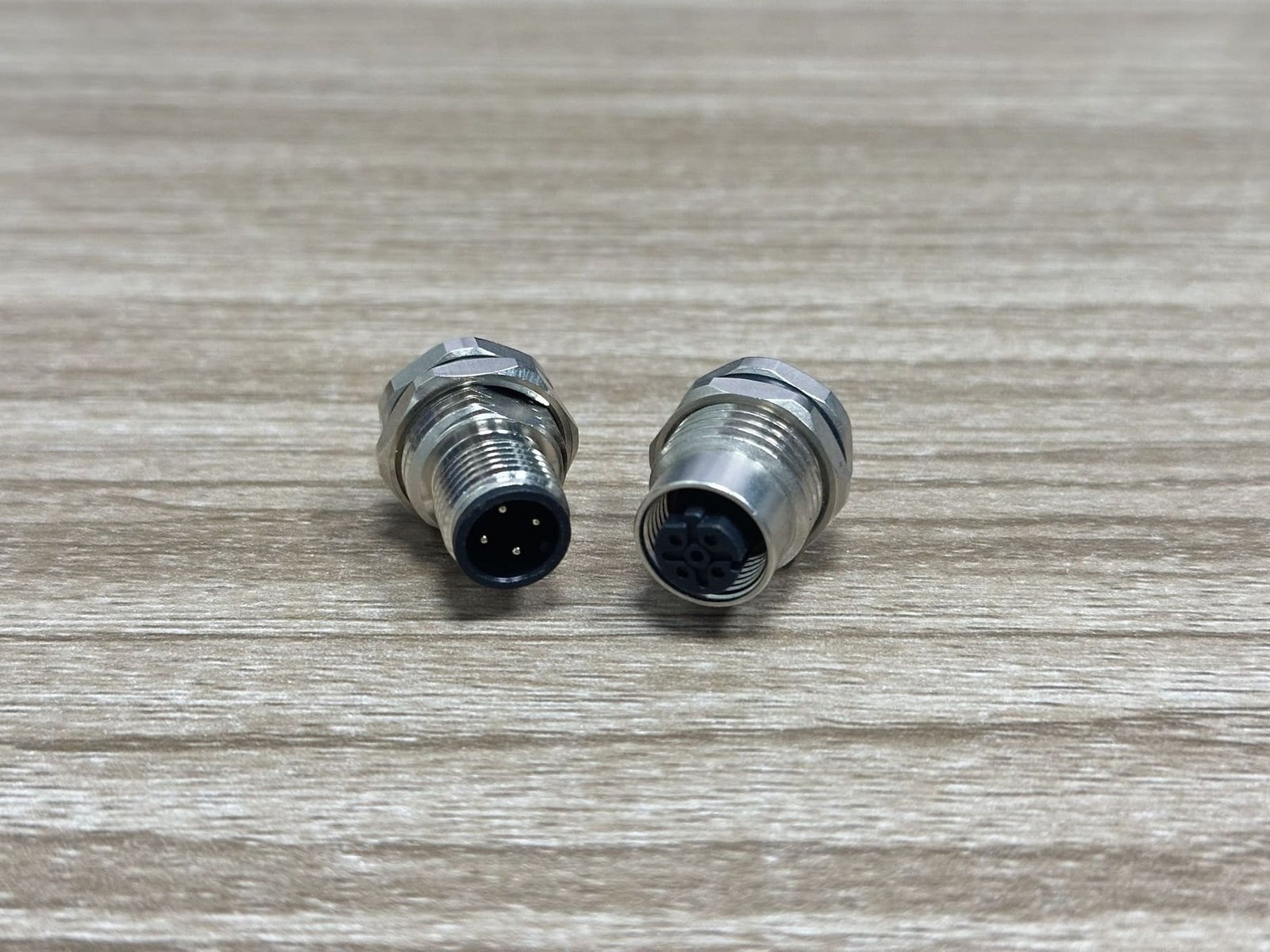
I use the keyway as my first visual reference. I then locate the numbered contact positions relative to that keyway. I do not assume that the left-to-right order in a photograph is the same as the order in a mating-face diagram.
When I review a customer drawing, I follow this sequence:
A customer once sent us a photograph of a connector and a separate wiring table. The table appeared to reverse Pin 2 and Pin 4 when compared with the photograph. We did not assume that the photograph was wrong. We asked which side the customer had photographed and requested the equipment drawing. The final confirmation showed that the photograph displayed the cable side while the table displayed the mating face. This small distinction prevented an incorrect cable assembly.
The most common M12 A-coded wiring errors occur when I treat a visual feature as an electrical definition.9 The connector may look correct, but the wiring can still fail10 because the reader used the wrong viewing direction, assumed a standard color function, or selected a connector with the wrong gender.
| Common error | Result | Practical correction |
|---|---|---|
| Reading cable side as mating face | Pins appear mirrored | Identify the view and keyway |
| Treating wire color as proof | Wrong signal or polarity | Cross-check color with pin number and drawing |
| Assuming Pin 2 has one function | Auxiliary circuit fails | Confirm the device-specific assignment |
| Assuming Pin 5 is always ground or signal | Unused or incorrect circuit | Check the manufacturer documentation |
| Matching only the pin count | Connector does not mate or function | Check gender, coding, keyway, and part number |
| Ignoring PNP/NPN differences11 | Input does not switch correctly | Confirm the output circuit |
| Ordering without a part number | Similar-looking replacement arrives | Request the full specification |
| Using a cable with missing conductors | Some signals remain open | Confirm conductor count and termination |
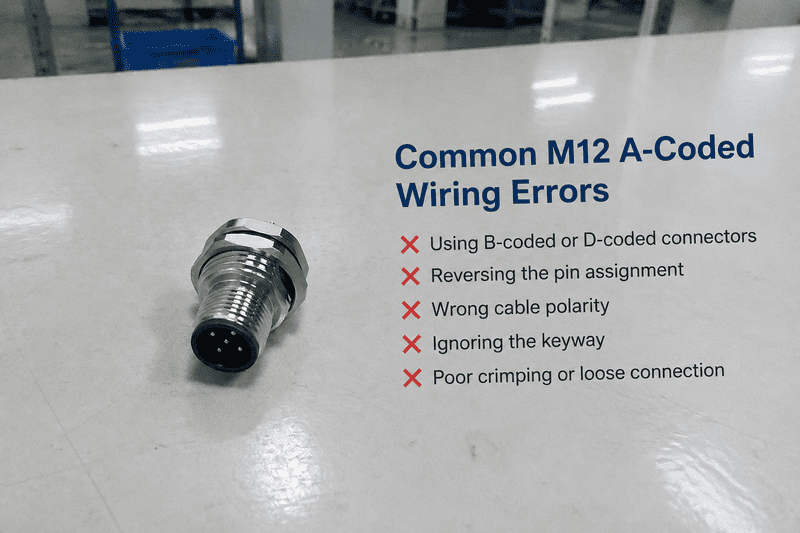
I use a repeatable confirmation sequence before I replace a connector or rewire a cable:
Verify the connector gender.
I confirm whether the equipment requires a male plug, female socket, male receptacle, or female receptacle.
Verify the viewing direction.
I determine whether the drawing or photograph shows the mating face or cable side.
Verify the keyway and coding.
I confirm that the connector is A-coded and that the key position matches the mating component.
Verify the pin numbering.
I read the manufacturer’s numbered contact layout. I do not rely only on clockwise or left-to-right descriptions.
Verify the signal function.
I identify supply, return, output, input, analog, communication, shield, and unused circuits.
Verify the wire color.
I compare Brown, White, Blue, Black, and Gray with the approved wiring documentation.
Verify the exact part number.
I check the connector series, pin count, gender, cable type, length, jacket material, and termination.
Verify the electrical design with a qualified person.
I recommend professional evaluation when the connection involves safety circuits, high energy, unfamiliar equipment, or uncertain field conditions.
This process helps separate a connector-selection problem from a device fault. I can confirm whether a cable matches a drawing, but I do not independently validate every customer’s electrical design or diagnose every field failure.
At NITAI, I have handled customer inquiries involving unclear pinout tables, uncertain wire colors, replacement cables, and custom M12 terminations. I usually begin by asking for the device model, connector gender, pin count, cable length, connector orientation, and available wiring documentation.
I then compare the customer’s information with the requested assembly:
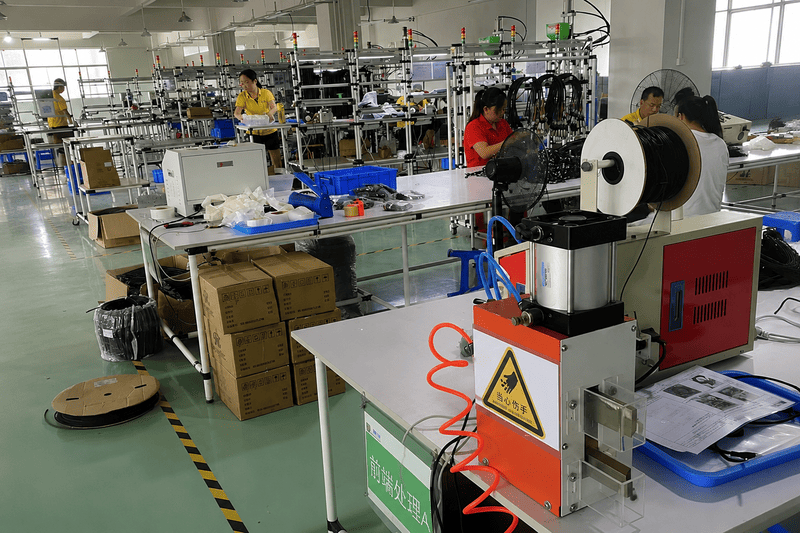
I compare the customer’s drawing with the connector manufacturer’s pin numbering and viewing direction. If the drawing does not clearly identify the view, I ask the customer to mark the keyway or provide a mating-face reference. I also ask whether the wire colors are mandatory or only shown as a typical example.
For custom cable assemblies, I confirm the following before production:
I have found that a short clarification at this stage is more useful than relying on an apparently familiar 4-pin or 5-pin arrangement. NITAI supports OEM and ODM production, sample development, private labeling, and customized industrial harnesses, but the customer’s approved device documentation remains the controlling electrical reference.
I recommend that buyers avoid an order description such as “5-pin M12 A-coded cable” because it does not identify enough information. I use a structured specification so the supplier can evaluate mechanical and electrical compatibility together.
| Specification item | Example information to provide |
|---|---|
| Coding | M12 A-coded |
| Pin count | 3-pin, 4-pin, or 5-pin |
| Connector gender | Male plug, female socket, or exact end combination |
| View reference | Mating face or cable side |
| Pin assignment | Pin 1 through Pin 5 with signal names |
| Wire colors | Brown, White, Blue, Black, Gray, or approved alternative |
| Cable | Length, conductor size, jacket, shield |
| Connector style | Straight, right-angle, panel mount, field-wireable |
| Environment | IP requirement, temperature, oil, vibration, flexing |
| Documentation | Drawing revision, part number, CAD file, test report |
| Quantity | Sample, pilot batch, or mass production volume |
The buyer’s goal is not simply to purchase a connector with the same number of contacts.12 The goal is to obtain a connector assembly that mates correctly, carries the intended signals, withstands the application, and can be traced to an approved specification.
No. Many 4-pin assemblies use Brown for positive supply, Blue for 0 V, Black for one signal, and White for another signal. However, Pin 2 and Pin 4 can have different functions across devices. I always compare the connector drawing and equipment documentation before wiring.
These colors are commonly used in industrial M12 cable assemblies, but color alone does not prove signal function. Brown often represents positive supply and Blue often represents 0 V. White, Black, and Gray may carry different signals depending on the device and manufacturer. I verify every color against the pinout.
No. Pin 2 may be a switching signal, auxiliary input, analog circuit, diagnostic line, or unused contact. I do not assign a fixed function to Pin 2 based only on its number. The device or manufacturer drawing takes priority.
No. Pin 5 can have different assignments, and some four-pin assemblies do not include it at all. I confirm whether the connector has five contacts and whether the gray conductor is used. I also check the complete device wiring diagram.
I check the connector gender, the stated viewing direction, and the keyway. A mating-face drawing and a cable-side drawing can show reversed positions. I rely on the numbered contacts and keyway rather than transferring a left-to-right order from a photograph.
An M12 A-coded connector pinout is a starting point for evaluation, not a substitute for the equipment drawing. Common 3-pin, 4-pin, and 5-pin tables can help me identify likely Brown, White, Blue, Black, and Gray conductor arrangements, but I still verify gender, viewing direction, keyway, pin numbering, signal function, wire color, and part number. Pin 2 and Pin 5 require particular care because their functions vary. When customers need drawing confirmation, samples, OEM cable assemblies, or customized industrial harnesses, I recommend sending the full device information to NITAI for an engineering review before production.
"M12 Connectors | Types, Coding, Pins & Cables", https://www.binder-usa.com/us-en/news/m12-connectors-complete-guide-to-our-most-prominent-series?srsltid=AU7gw4UK8IBTjh3aAXuf4z-H_ismcReLjfBBOvTVeR2k4xRUkDN1dUaf. A technical standard or institutional reference on M12 connectors supports distinguishing the A-code mechanical interface from application-specific electrical pin assignments. Evidence role: general_support; source type: institution. Supports: A standards or institutional source should establish that M12 coding defines connector mating or keying characteristics and does not by itself specify every device-specific electrical function.. Scope note: The source may describe the connector interface generally without documenting every possible device-specific wiring configuration. ↩
"M12 Connectors | Types, Coding, Pins & Cables", https://www.binder-usa.com/us-en/news/m12-connectors-complete-guide-to-our-most-prominent-series?srsltid=AU7gw4UuvDPbVHZQUHcCR7_q2PKjq_kMbwn_rAf4cGEjx6ocXzyHqk1G. Industrial automation literature documents three-, four-, and five-contact M12 configurations as recurring connector formats in sensor and actuator interconnections. Evidence role: general_support; source type: research. Supports: An industrial automation reference should document the common use of three-, four-, and five-contact M12 connectors in sensor, actuator, and control applications.. Scope note: Documentation of common formats does not establish that a particular device uses a particular pin assignment. ↩
"IEC metric screw sized connectors", https://en.wikipedia.org/wiki/IEC_metric_screw_sized_connectors. Connector standards describe coding and keying as mechanical features that restrict mating between incompatible connector variants. Evidence role: mechanism; source type: institution. Supports: A standards source should explain how coding and keying constrain mating compatibility between connector variants.. Scope note: Mechanical mismatch prevention does not verify electrical compatibility, signal assignment, or safety suitability. ↩
"3-wire DC proximity sensor wiring diagram", https://www.facebook.com/groups/195259792384293/posts/1322978739612387/. Industrial sensor wiring conventions commonly associate brown with the positive supply, blue with the 0 V return, and black with an output conductor in three-wire DC arrangements. Evidence role: general_support; source type: institution. Supports: An applicable wiring convention or sensor-industry reference should document the commonly used brown, blue, and black conductor roles in three-wire DC sensors.. Scope note: Color conventions are not sufficient evidence for a specific product’s pinout and may be overridden by the manufacturer. ↩
"M12 Sensor Connector Male Female Signal Shielding ...", https://reframedarchives.sandbox.library.columbia.edu/listing/m12-sensor-connector-male-female-signal-shielding-metal-plug-4-5-8-pin-screw-threaded-coupling-a-type-1pcsstraight-8pin-female?srsltid=222723016. Industrial automation references document four-contact M12 interconnections across sensor, actuator, and field-I/O applications. Evidence role: general_support; source type: research. Supports: An industrial automation reference should show four-contact M12 connectors used in proximity sensing, photoelectric sensing, actuator, and I/O applications.. Scope note: Examples of use across device categories do not prove that the same four-pin electrical assignment applies to all of them. ↩
"IO-Link wiring: Overview and FAQs", https://www.ifm.com/us/en/shared/technologies/io-link/technology/io-link-wiring?srsltid=AU7gw4XHNaVUJPxdZzhPEwb4g0gD19P4KjBLCVUj6O1PpfbgV3TuNBPc. Device-specific wiring documentation shows that the second contact in four-contact M12 sensor interfaces may be assigned to auxiliary, analog, teach, diagnostic, or other application functions. Evidence role: mechanism; source type: research. Supports: Technical device documentation should provide examples in which the second contact is assigned to auxiliary switching, analog, teach, diagnostic, or other functions.. Scope note: Examples establish variation among documented devices but do not define a universal list of permissible Pin 2 functions. ↩
"Cable conductor color standards", https://community.automationdirect.com/s/question/0D53u00002Xi6V8CAJ/cable-conductor-color-standards. Industrial cable documentation commonly identifies brown, white, blue, black, and gray as conductor colors used in five-conductor M12 assemblies. Evidence role: general_support; source type: institution. Supports: A cable identification standard or technical reference should support the use of these colors in five-conductor industrial sensor and actuator cables.. Scope note: Color usage can vary by cable manufacturer, market, and equipment documentation. ↩
"AMPLIMITE* HD-20 Series 454 and 545 Right-Angle Rear ...", https://peshkin.mech.northwestern.edu/datasheets/Connectors/AmpConnector_DB15_pins.pdf. Connector-drawing conventions distinguish mating-face and termination-side views, which can reverse the apparent left-to-right or clockwise arrangement of contacts. Evidence role: mechanism; source type: education. Supports: An engineering reference should explain how viewing a connector from the mating face versus the termination side changes the apparent spatial arrangement of contacts.. Scope note: The geometric effect does not imply that the numbered contact identities change. ↩
"Wire Harness Failure Analysis: 7 Common Causes & How to ...", https://wireharnessproduction.com/blog/wire-harness-failure-analysis-guide. Engineering failure analyses identify incorrect contact identification, polarity, and connector-view interpretation as recurring causes of wiring faults in industrial control systems. Evidence role: general_support; source type: paper. Supports: A failure-analysis or engineering paper should document wiring errors caused by incorrect pin identification, viewing orientation, polarity, or reliance on color conventions.. Scope note: A study of industrial wiring faults may not rank these causes specifically for M12 A-coded connectors. ↩
"The Best Connector Types for Industrial Use", https://www.eisales.com/the-best-connector-types-for-industrial-use. Connector-selection guidance treats mechanical mating compatibility and electrical compatibility, including contact assignment and ratings, as separate verification requirements. Evidence role: definition; source type: institution. Supports: A connector-selection reference should distinguish mechanical fit, contact arrangement, ratings, and electrical circuit compatibility.. Scope note: The source may address connectors generally rather than the M12 A-coded family specifically. ↩
"Sources positive voltage to the PLC input. NPN", https://www.facebook.com/THEENGINEERSGROUP/posts/pnp-sensor-vs-npn-sensor-do-you-know-how-pnp-and-npn-sensors-differ-in-plc-appli/1620055576388310/. Controls engineering references distinguish PNP sourcing outputs from NPN sinking outputs and describe their compatibility requirements with PLC input circuits. Evidence role: mechanism; source type: education. Supports: A controls engineering source should explain that PNP and NPN outputs source and sink current differently and therefore must match the receiving input circuit.. Scope note: Compatibility also depends on the specific input voltage, common arrangement, load, and device circuitry. ↩
"M8 vs M12 Connectors: Size, Pins, Coding, and Selection ...", https://amphenolltw.com/news-events/m8-vs-m12-connectors.html?srsltid=AU7gw4Xdk2QiehpTeXa1Nn5qqPHf6pOtI1cvuG8bWOXlUl7oDFplA5RG. Connector-selection guidance requires verification of coding, gender, contact assignment, electrical ratings, environmental performance, and assembly details in addition to contact count. Evidence role: expert_consensus; source type: institution. Supports: An engineering or standards reference should identify the mechanical, electrical, environmental, and documentation parameters required for connector selection beyond contact count.. Scope note: The exact required parameters depend on the equipment, installation environment, and applicable safety or industry standard. ↩
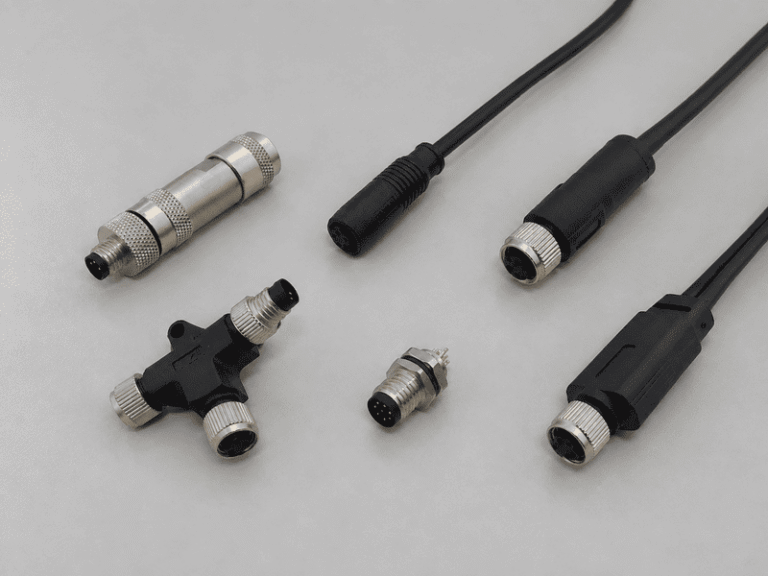
An M8 8 pin female connector can look like the right replacement on a purchasing list and still…
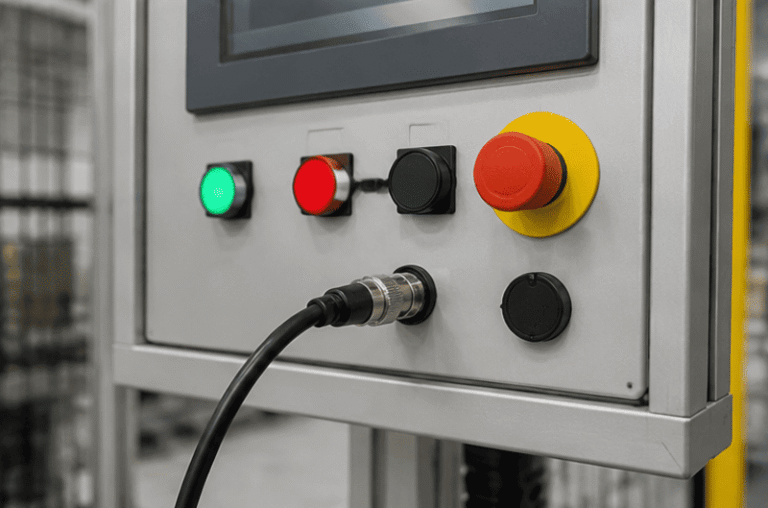
An M12 male connector 5-pin B-coded may look like a straightforward line item, but its name does not…
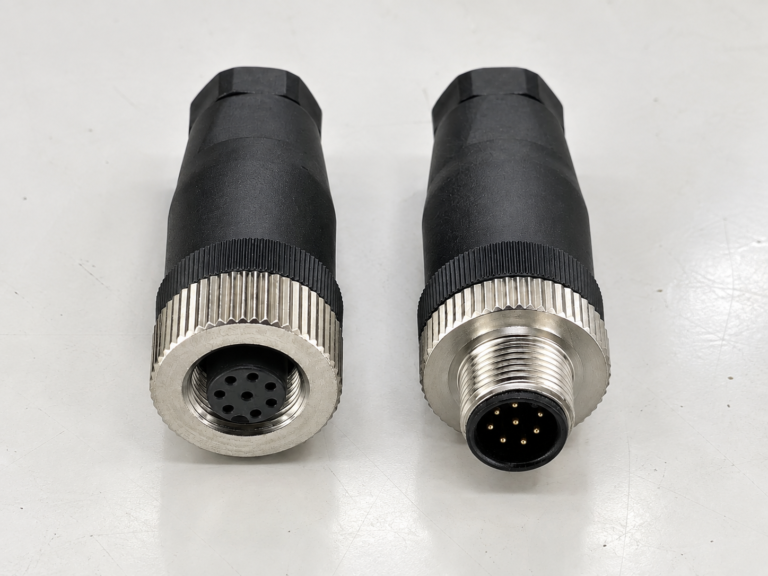
M12 connectors can carry different voltage ratings, so a buyer cannot choose one safely from the connector size…
NITAI manufactures terminal blocks, M8/M12 waterproof connectors and industrial distribution modules for global OEMs, distributors and automation customers.
Leave a Reply