Oct 17, 2026
How Do I Choose the Right M8 8 Pin Female Connector for My Equipment?
An M8 8 pin female connector can look like the right replacement on a purchasing list and still…

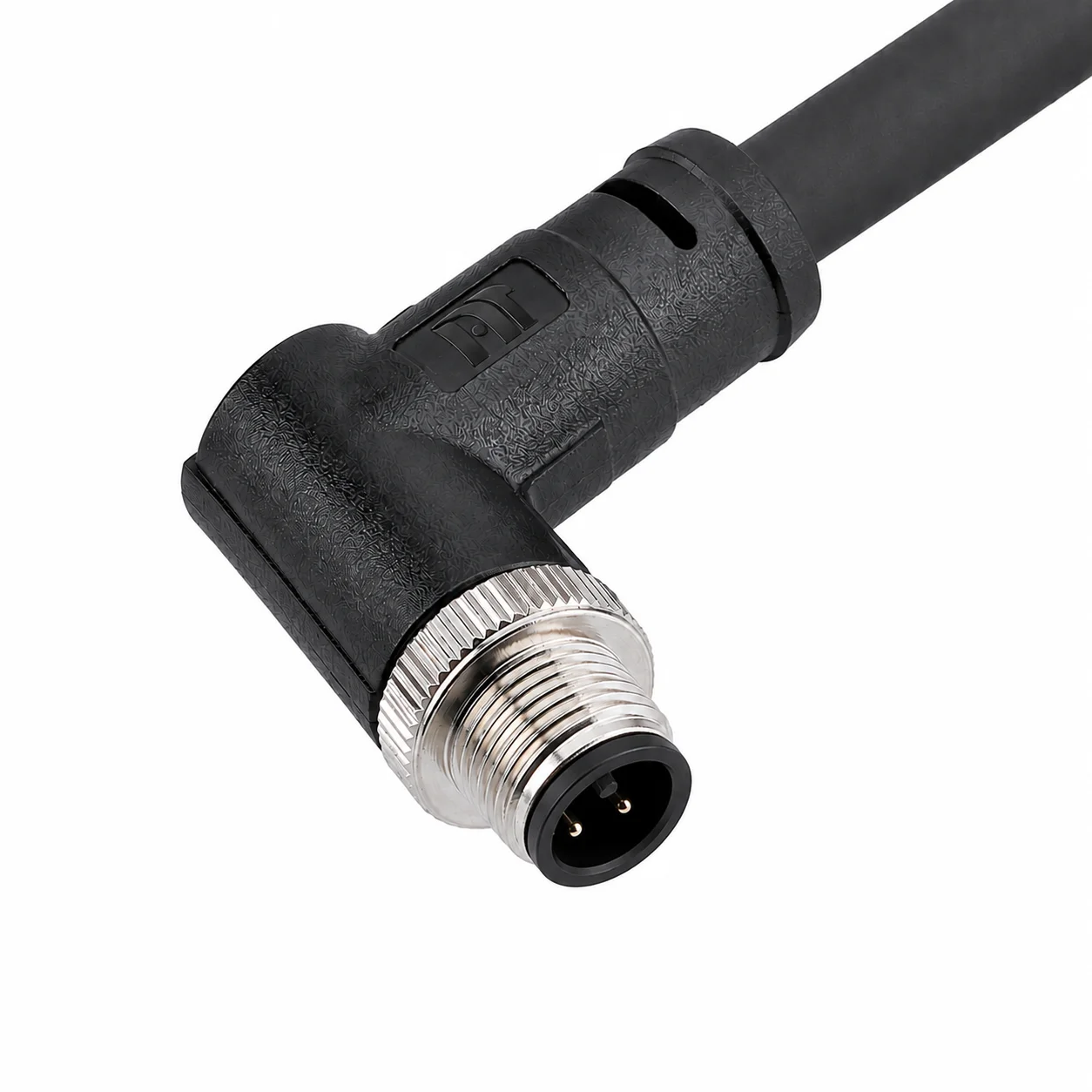
M12 connectors are easy to recognize as a family but surprisingly easy to misidentify as a specific part. Two products can have almost identical black molded bodies while using different contact patterns, coding keys, rear threads, or mounting dimensions.
An M12 connector is normally a compact circular industrial connector with an M12×1 screw-locking interface, a round mating face, pins or sockets, a coding keyway, and a sealing element. “M12” refers to the nominal locking-thread size—not the outside diameter or total length of the complete housing.
The front mating face is usually more informative than the side profile.
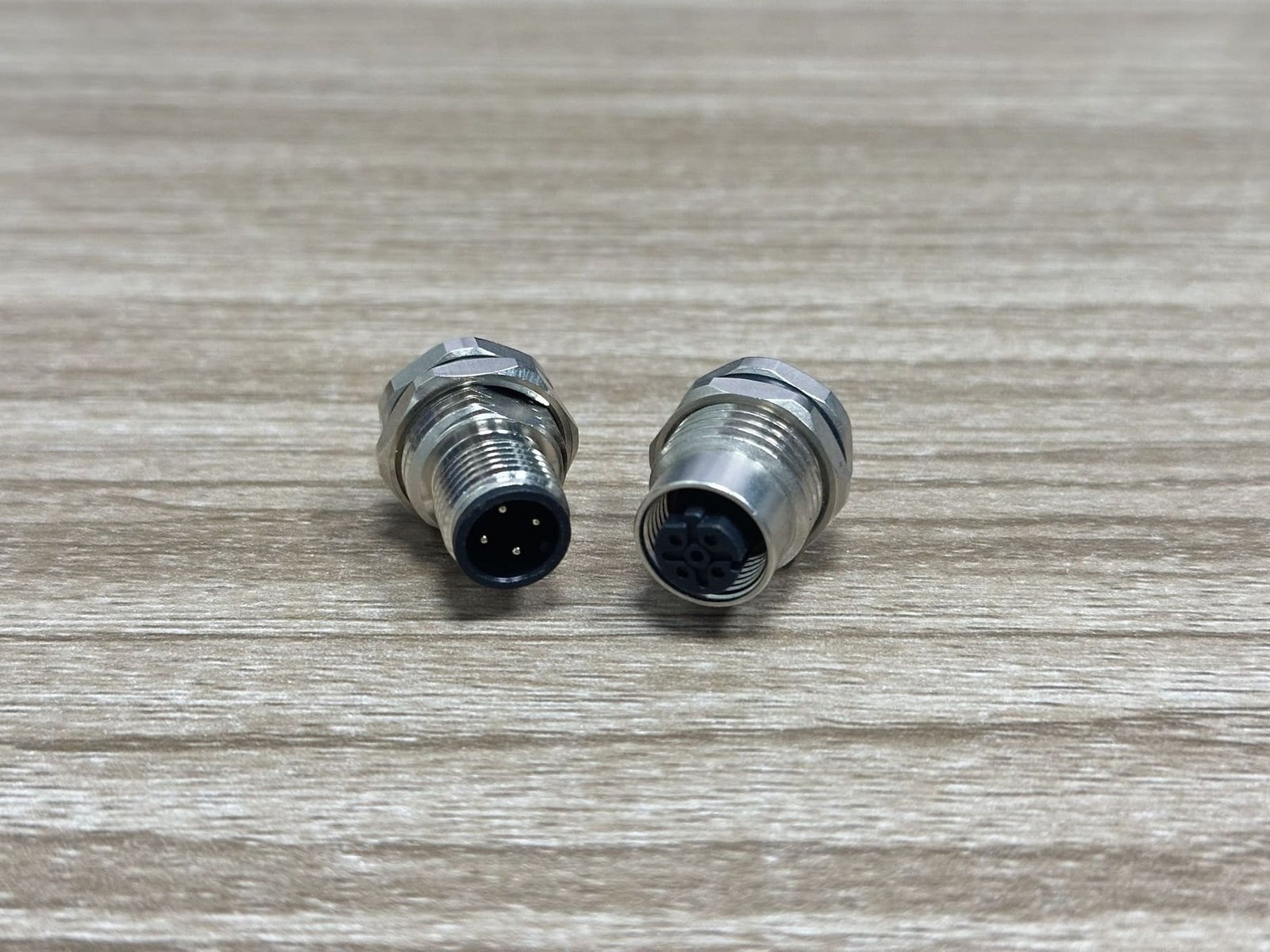
Look for a circular mating face, an M12×1 coupling thread or nut, numbered pins or sockets, a coding key, and a gasket or O-ring.
IEC describes this family as circular connectors with M12 screw locking used in industrial process measurement and control.1 The “M12” designation comes from the screw-locking thread dimension; it should not be read as “the whole plug is exactly 12 mm wide.”2
A typical product includes:
| Visible feature | What it tells you | What it does not prove |
|---|---|---|
| Circular insert | It belongs to a circular connector family | Exact coding or pin assignment |
| M12×1 thread or nut | It may be an M12 interface | Housing length or rear thread |
| Pins or sockets | Male or female contact side | Cable-end gender from shell alone |
| Keyway or coding feature | Intended mating family | Electrical function without a datasheet |
| O-ring or face seal | Designed as part of a sealed interface | IP rating when unmated or poorly assembled |
| Metal shell | May support shielding and ruggedness | Correct 360-degree shield termination |
The coupling nut may be metal or plastic. The body may be made from engineering plastic, die-cast metal, machined metal, or an overmold compatible with the selected cable material, depending on the product design.
A male M12 connector has contact pins; a female M12 connector has contact sockets. The locking hardware alone does not determine electrical gender.
This matters because a female insert can be housed inside an externally threaded shell, while a male insert may sit behind a rotating coupling nut. Customers sometimes identify gender by looking only at the outer thread and end up ordering the opposite contact type.
Use the contact face:
It is also important to state whether you are describing the cable connector or the device receptacle. Connector catalogs distinguish between free cable connectors, fixed panel receptacles, and PCB-mounted versions.3
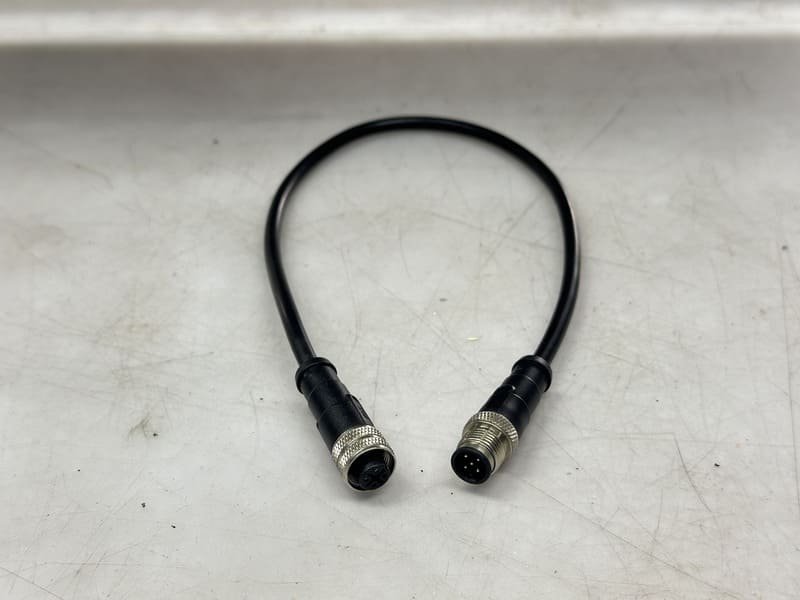
The mating face reveals the contact count, gender, and coding key—the three details that most often determine whether two M12 parts can mate.
M12 coding uses form-fitting key positions to reduce mismating between interfaces intended for different purposes.4 A-, B-, D-, and X-coded products can all be described as M12 connectors, yet they do not share the same mating face.
This is why a side photograph is often insufficient. A customer may send us one image of a molded black connector and ask us to identify it, but several models can look nearly identical from that angle.
We normally request:
The front face identifies the interface. The remaining photographs and measurements help identify the specific construction.
| Coding | Common visual clue | Typical use |
|---|---|---|
| A-coded | Single A-position keyway; multiple pin-count options | Sensors, actuators, and signals |
| B-coded | Different key orientation from A-coded | Fieldbus applications |
| D-coded | D-position key; normally four contacts | 100 Mbps industrial Ethernet |
| X-coded | X-shaped internal divider; eight contacts | High-speed industrial Ethernet |
| S-, T-, K-, and L-coded | Power-oriented keyed forms | AC or DC power applications |
Never determine the coding from this simplified description alone. Compare the actual mating face with the manufacturer’s dimensional drawing or an approved sample.
An M12 interface can appear as a straight plug, right-angle plug, molded cordset, field-wireable connector, panel receptacle, or PCB receptacle.
Commercial M12 ranges include cable connectors, flange connectors, molded cordsets, and products with solder, crimp, screw, or dip-solder terminations.5 Panel products can also be designed for front or rear mounting, and multi-position versions are available for signal-dense equipment.6 Some M12 product families reach 17 contacts while retaining the M12 locking-interface concept.7
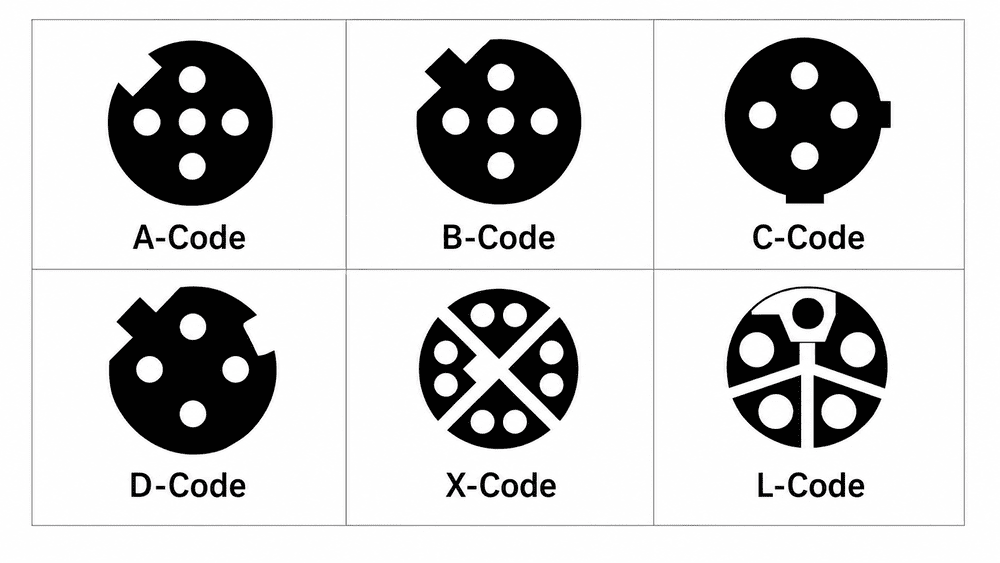
A straight connector extends along the cable axis. It is usually easier to route when there is enough depth behind the port.
A right-angle connector turns the cable exit by approximately 90 degrees and can reduce the required rear clearance. However, its cable-exit direction must suit the equipment layout.
An overmolded connector is permanently molded to the cable. It provides controlled strain relief and repeatable sealing when correctly produced.
The visible body shape depends on the mold design, so products from two manufacturers may look different while sharing a compatible mating interface.
A field-wireable connector has a housing that opens for screw, spring, insulation-displacement, solder, or crimp termination.
This construction is useful for field installation or repair. However, the cable diameter, gland compression, conductor preparation, and shield termination must all match the connector specifications.
Panel receptacles may mount from the front or rear and may include lead wires, solder cups, or direct PCB contacts.
PCB versions require an exact footprint, mounting orientation, and board-side drawing. They should not be selected from a general product photograph alone.
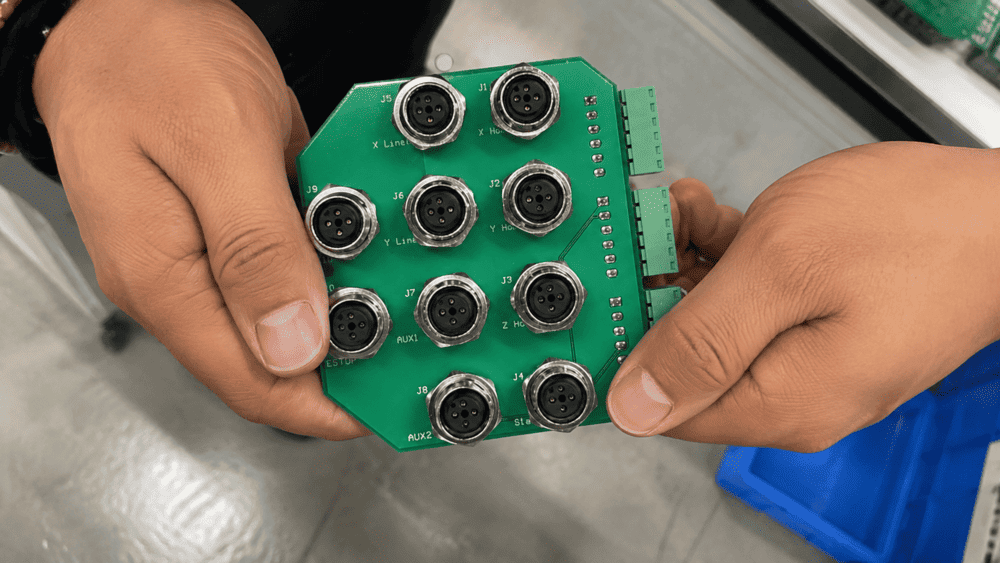
The standardized mating interface does not make every housing, overmold, cable exit, or rear mounting thread identical.
Individual product drawings show that overall dimensions, cable exits, materials, and molded-body geometry remain product-specific.8
Different manufacturers may produce products with the same compatible mating interface but with:
For panel receptacles, rear threads such as M12×1, M15×1, M16×1.5, or PG-style structures may appear across different product families.
A side photograph rarely reveals the thread pitch, usable thread length, panel cutout, or whether the receptacle is intended for front or rear mounting.
That is why we ask customers to provide caliper measurements. The standard mating interface may be clear, but installation can still fail if the housing is too high, the panel thread is wrong, or the PCB contacts do not match the board.
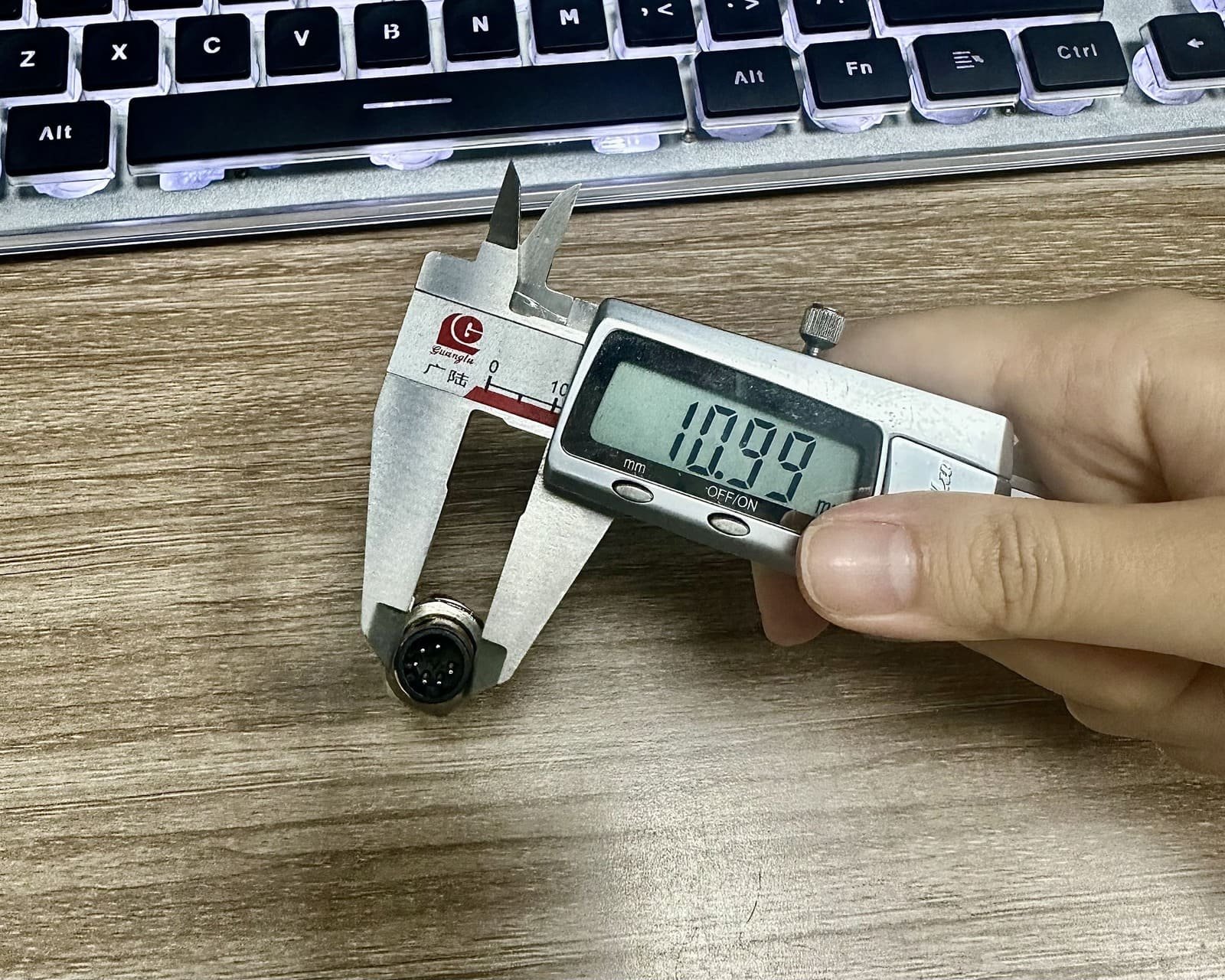
| Product type | Critical dimensions |
|---|---|
| Molded cable connector | Body length, maximum diameter, cable OD, and strain-relief length |
| Right-angle connector | Height above the port, cable-exit direction, and body width |
| Panel receptacle | Panel cutout, mounting thread and pitch, usable thread length, and mounting direction |
| PCB receptacle | Contact footprint, reference orientation, stand-off height, and board thickness |
| Field-wireable connector | Supported cable OD, conductor size, gland range, and assembled length |
Send a mating-face photograph, side photograph, measurements, and application information. A single distant photograph is rarely enough for reliable product selection.
Our practical identification checklist is:
If the connector is still installed, photograph the device port as well as the cable end. If there is a label, capture it clearly. A readable manufacturer part number is often more useful than several general photographs.
You can compare the general construction with our M12 connector products and then send us your photographs and measurements for confirmation.
We prefer to identify an uncertain detail before quotation rather than allow a visually similar but incompatible connector to reach the customer’s equipment.
When no reliable drawing or part number is available, checking a physical sample is the safest option.
The sample should be used to verify:
No. Similar-looking circular connectors can use push-pull, bayonet, snap-lock, or different screw-thread systems. Measure the interface and inspect its keying before identifying it as an M12 connector.
No. M12 refers to the nominal M12 locking-thread interface. The coupling nut and molded body are normally larger than 12 mm.
Not reliably. The same contact count can exist in different coding families. The keyway position and specified standard must also match.
No. Determine gender from pins versus sockets, not from the shell thread or coupling nut.
No. The mating interface can be M12 while the mounting thread and rear termination geometry vary. Confirm the exact dimensional drawing before ordering.
Housing design, shielding, termination method, overmolding, strain relief, and cable diameter can all affect the overall dimensions while the mating interface remains compatible.
Start with a sharp, straight-on photograph of the mating face with the keyway at a known orientation. Then provide a side view beside a ruler or caliper.
An M12 connector normally looks like a compact circular industrial plug or receptacle with an M12×1 screw lock, contacts, a coding keyway, and a seal. However, that general appearance is only the beginning of product identification.
Use the mating face to establish the contact count, gender, and coding. Use side views, caliper measurements, equipment information, and the manufacturer’s drawing to determine the exact housing, rear thread, and mounting form.
If a project is moving toward production, validate a physical sample instead of approving the connector from a side photograph alone.
[IEC 61076-2-101:2024](https://webstore.iec.ch/en/publication/77773) — Defines the M12 screw-locking circular connector family for industrial applications. ↩
[IEC 61076-2-101 preview](https://elstandard.se/documents/preview/303401) — Identifies M12 as the screw-locking thread dimension and explains connector coding. ↩
[TE Connectivity M8/M12 Connector System](https://www.te.com/en/products/connectors/circular-connectors/intersection/m8m12.html) — Shows cable, panel, and PCB-oriented product forms within the family. ↩
[binder Product Overview](https://www.binder-connector.com/en/products) — Explains how connector coding provides form-fitting alignment and reduces mismating. ↩
[binder M12 A-Coded Range](https://www.binder-connector.com/uk/products/automation-technology/m12-a) — Shows cable, flange, molded, solder, crimp, and PCB termination forms. ↩
[Phoenix Contact M12 XL Panel Feedthroughs](https://www.phoenixcontact.com/en-us/us-lp-m12xl) — Shows front and rear mounting and multiple position counts in panel products. ↩
[Phoenix Contact 17-Position M12 Products](https://www.phoenixcontact.com/en-be/cat/m12-male-17-pos-2164) — Demonstrates that M12 connector appearance and contact density can vary substantially. ↩
[binder M12 Product Example](https://www.binder-connector.com/en/products/automation-technology/m12-a/77-3430-0000-20004-0500-m12-a-female-cable-connector-contacts-4-unshielded-moulded-on-cable-ip69k-ul-pvc-grey-4-x-034-mm2-5-m) — Provides an example of a molded M12 product drawing, dimensions, materials, and ratings. ↩
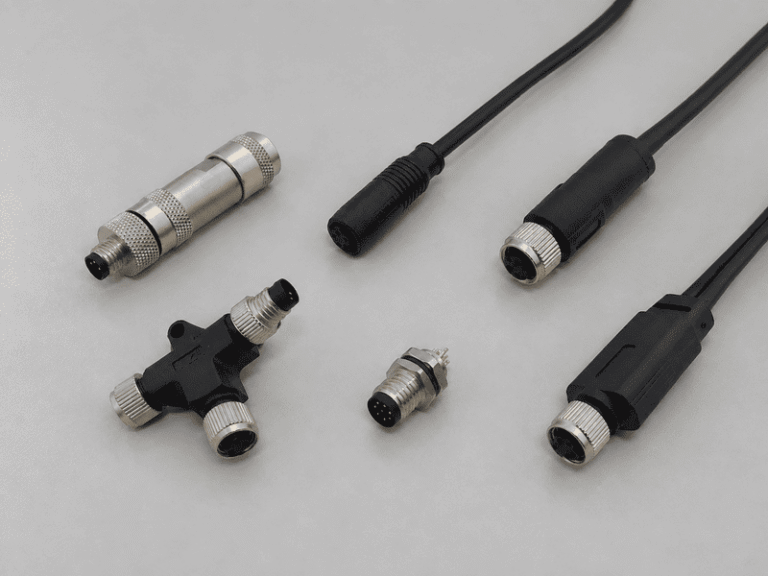
An M8 8 pin female connector can look like the right replacement on a purchasing list and still…

An M12 male connector 5-pin B-coded may look like a straightforward line item, but its name does not…
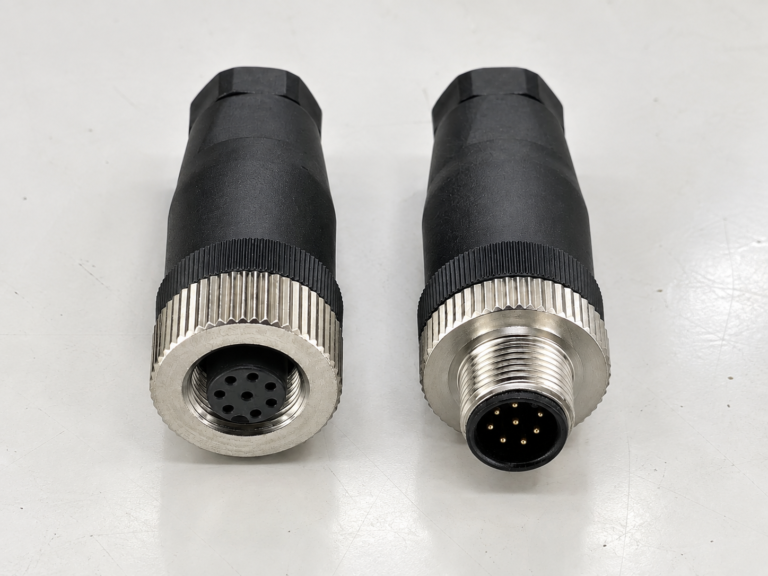
M12 connectors can carry different voltage ratings, so a buyer cannot choose one safely from the connector size…
NITAI manufactures terminal blocks, M8/M12 waterproof connectors and industrial distribution modules for global OEMs, distributors and automation customers.
Leave a Reply