Oct 17, 2026
How Do I Choose the Right M8 8 Pin Female Connector for My Equipment?
An M8 8 pin female connector can look like the right replacement on a purchasing list and still…


A coded and B coded M12 connectors can look similar in a purchasing list, but choosing the wrong one can stop an assembly before wiring even begins. The connectors use different mechanical keying, so they are not interchangeable. I recommend checking the equipment interface and its drawing before selecting a connector or requesting a cable assembly.
The difference between A coded and B coded M12 connectors is their mechanical keying and their typical application pattern. A-coded connectors commonly serve sensors, actuators, and general I/O; B-coded connectors are commonly associated with fieldbus interfaces such as PROFIBUS-DP. Neither coding defines a complete function.1 Buyers must also verify the contact count, pin assignment, electrical requirements, and equipment specification.
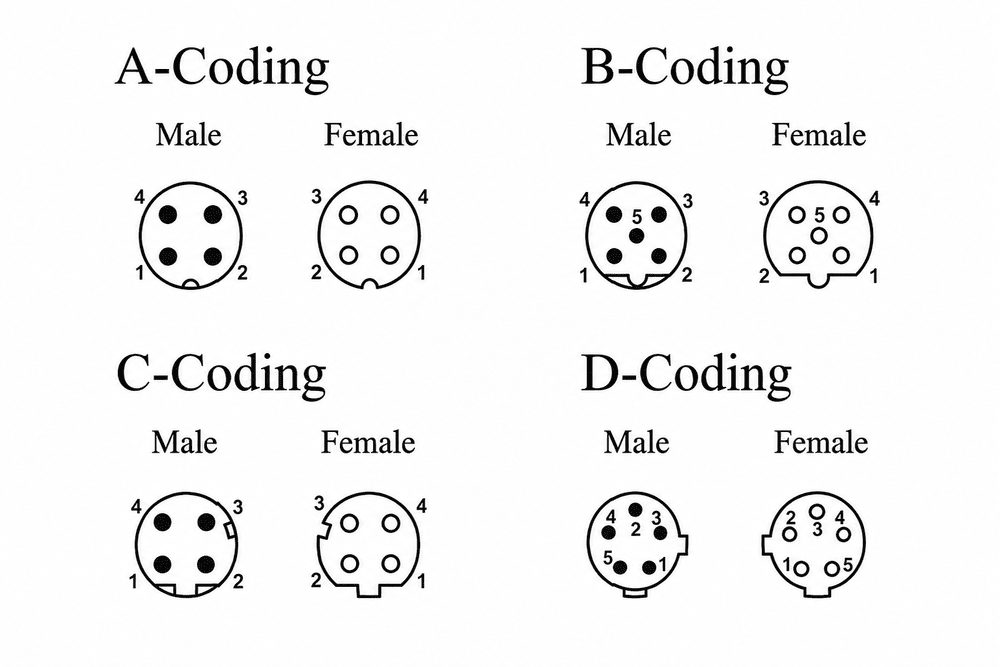
I often see the question arise during a replacement order: the buyer knows a device has an M12 port but does not have the port drawing. That missing detail matters. I will compare the two coding systems, then show how I would check a new design, replacement, or quotation request.
An M12 thread can make two connector listings appear equivalent. If the coding differs, however, a buyer may receive a part that cannot mate with the installed device. I treat the mechanical interface as the first check, before I compare price, cable length, or delivery time.
A-coded and B-coded M12 connectors have different keyed mating interfaces.2 Their shared M12 designation refers to the connector family, not permission to mate across coding types.3 Matching thread size or contact count does not overcome the coding difference.4 I would confirm the equipment-side coding and mating-face drawing before approving a connector or cable assembly.
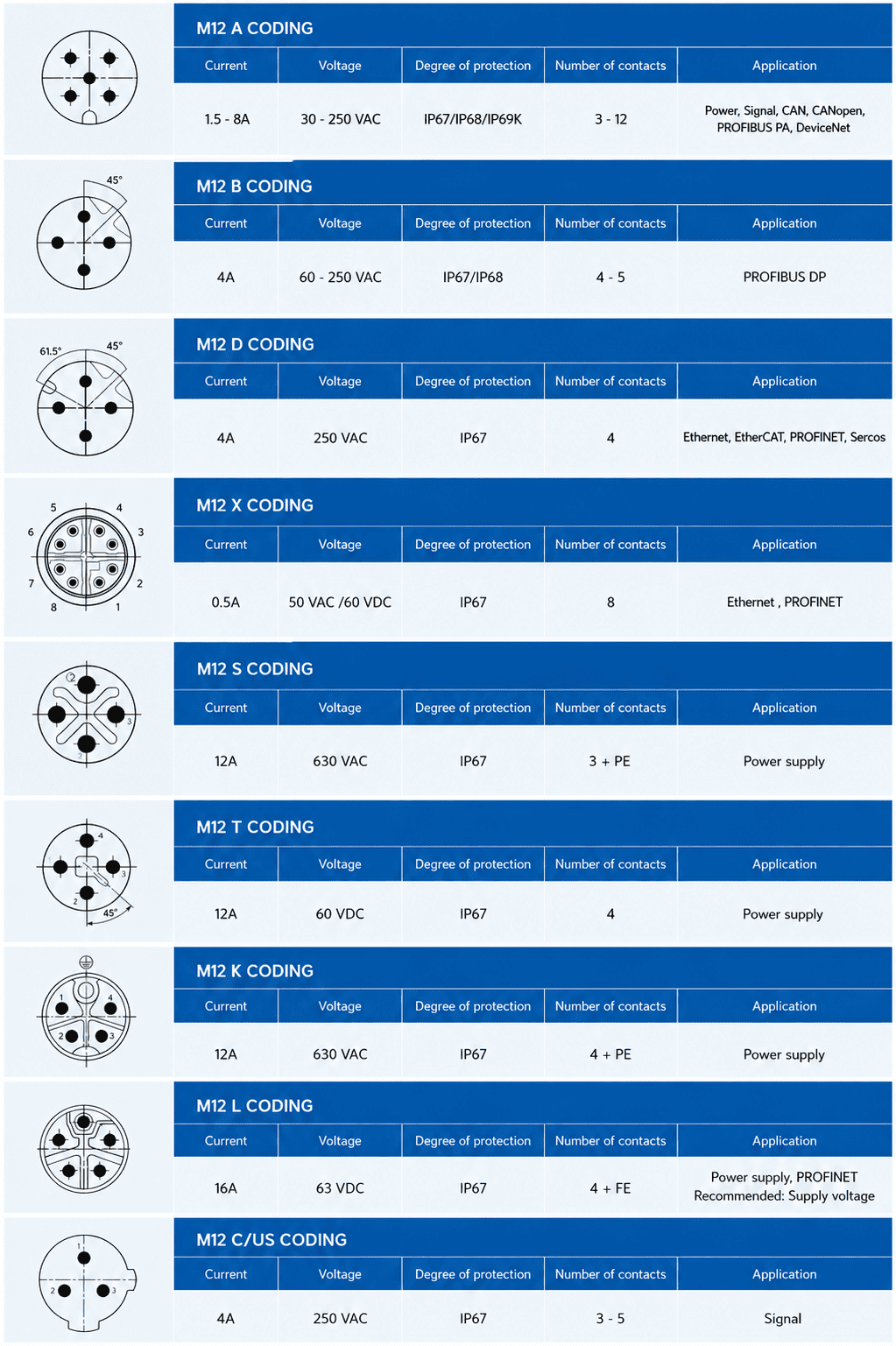
I describe coding to purchasing teams as a mechanical key, not a shorthand for everything the connector can do. The keyed mating faces are intended to prevent mismatched connections.5 That makes coding one of the quickest ways to rule out an unsuitable part, but it does not make a suitable-looking part electrically correct.
A buyer can encounter several descriptions of the same connection: an equipment manual may say “M12,” a parts list may give a contact count, and a supplier quotation may specify “A-coded” or “B-coded.” I would not treat those descriptions as equivalent levels of detail. I would ask for the equipment drawing or the manufacturer’s exact connector part number.
| Item I check | Why I check it |
|---|---|
| Equipment-side coding | It establishes the mating interface the new part must match. |
| Male or female interface | It identifies the required mating half. |
| Contact count | It narrows the options but does not establish coding or wiring. |
| Pin assignment | It shows whether the conductors connect to the required circuits. |
| Mounting or cable format | It distinguishes a panel receptacle from a field-wireable connector or molded cable assembly. |
In supplier-side specification review, I have seen how a request for “the same M12 connector” can leave out the most important drawing. One common clarification is whether “same” means the same thread, the same mating interface, or the same wiring. I ask that question early because a mechanical mismatch cannot be solved by changing the conductor termination.
I also advise against relying on housing color, a product photograph, or a familiar-looking contact arrangement. Those clues may help locate documentation, but the dimensioned mating-face drawing and the equipment specification should settle the selection. For a broader introduction to coding families, I would start with our M12 connector coding guide and then return to the exact product datasheets.
Application labels help buyers narrow a search, but they can also create false certainty. If a team calls every A-coded port a “signal port” and every B-coded port a “data port,” it may overlook the device’s actual wiring and communication requirements.
A-coded M12 connectors are commonly used for sensors, actuators, valves, I/O modules, and other low-voltage connections.6 They can also appear in communication applications, including IO-Link, when the device and wiring are designed for them.7 B-coded M12 connectors are commonly associated with fieldbus connections, particularly PROFIBUS-DP8, but the product and equipment documentation must confirm the intended use.
When I review an inquiry, I first ask what the port does on the machine. Is it connecting a sensor to an I/O module? Is it connecting an actuator? Or is it part of a fieldbus network? The answer points toward the right documentation, but it does not replace that documentation.
For example, an OEM may describe an A-coded connection as a “sensor cable.” That description could be adequate for an initial search, yet it does not identify every conductor function. An IO-Link-capable device is a useful reminder: an A-coded interface can support communication when the equipment has been designed and specified for it. I would check the device pin assignment and port requirements rather than infer them from the coding name.
Similarly, I would treat “B-coded for PROFIBUS” as a common application association, not a universal definition of every B-coded product. For a network expansion, I would check the installed device and network documentation, as well as the proposed connector or cable datasheet. The required assembly may involve more purchasing details than the connector face alone.9
| Equipment role | Useful starting point | Confirmation I still need |
|---|---|---|
| Sensor, actuator, valve, or general I/O | Often A-coded | Equipment coding, contacts, pin assignment, and ratings |
| IO-Link-related device connection | May use an A-coded interface | Device and master-port documentation |
| PROFIBUS-DP or another specified fieldbus interface | B-coded may be specified | Network equipment drawing and assembly requirements |
| Unidentified existing M12 port | No safe assumption | Manufacturer part number or mating-face and wiring drawings |
I use supplier guides to understand established product families, not to override an equipment maker’s design. HARTING, Balluff, and Amphenol publish connector selection material that can help a buyer compare coding and application patterns. I would still verify the relevant current guide, product datasheet, and equipment documentation for the particular order. That distinction matters most when a purchasing description has been copied from an older machine or a substitute part is being considered.
Replacement pressure can make a near match tempting. A maintenance team may need a cable quickly, while a supplier has a different coded assembly in stock. I would stop that substitution until the mating interface and the electrical definition have both been checked.
An A-coded M12 connector should not be treated as a direct replacement for a B-coded M12 connector, or vice versa. Their mechanical keying differs, and a shared M12 thread does not make them mate correctly. Even when the coding matches, the replacement must also match the required contacts, pin assignment, ratings, and cable construction.
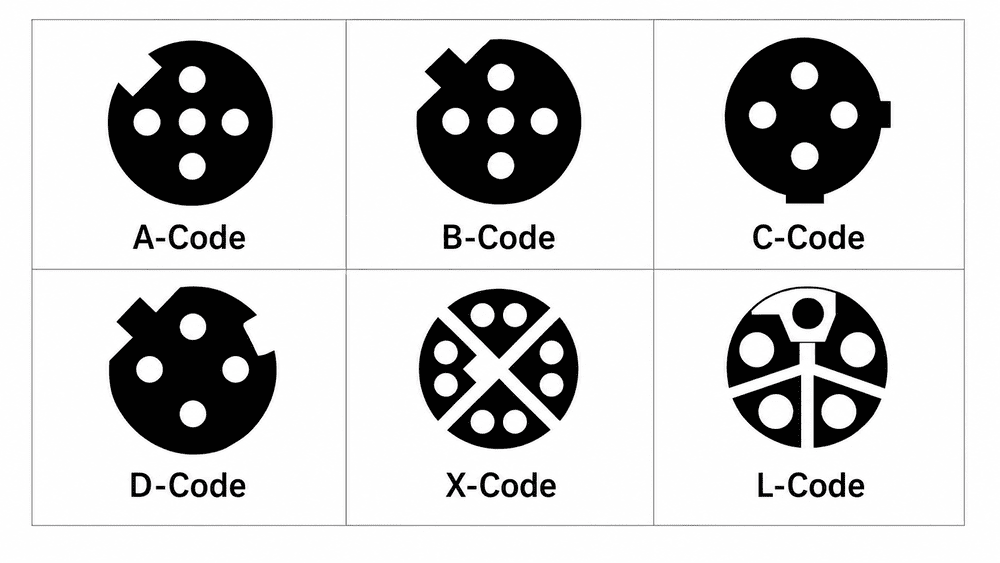
I find it helpful to split a replacement decision into two questions:
Passing the first check does not guarantee the second. Two A-coded cable assemblies, for example, may differ in wiring or construction. Conversely, two listings that mention the same number of contacts may use different coding and fail the first check.
A typical quotation discussion illustrates the risk without needing an unusual failure case. A buyer sends a photograph of an installed cable and asks for an “M12 replacement with the same number of pins.” I would request the existing part number or drawings before quoting a substitute. A photograph may show the outer housing, but it may not establish the mating-face geometry or conductor assignments clearly enough to approve a replacement.
For maintenance orders, I would also ask whether the proposed part is replacing a cable, a field-wireable plug, or a panel-mounted receptacle. Those products can share a coding designation while serving different positions in an assembly. If the original manufacturer’s documentation is unavailable, a qualified engineer or technician should identify the installed interface and verify the circuit requirements before any substitution is approved.
My purchasing rule: “M12” identifies the connector family. It does not, by itself, identify a compatible replacement.
The same caution applies during network expansion. A connector may have the expected coding but still be an unsuitable assembly for the specified installation. I would have the network or equipment engineer confirm application-specific requirements instead of approving a cable from its coding label alone.
A vague request often produces a vague quotation. If I receive only “M12 cable for automation equipment,” I must ask follow-up questions before I can identify the right product. A short specification checklist helps both the buyer and supplier compare like-for-like offers.
Before requesting an A-coded or B-coded M12 quotation, confirm the equipment-side coding, mating gender, contact count, pin assignment, cable assembly format, intended protocol or bus system, and electrical ratings. State whether the part is for a new design, replacement, or network expansion. Attach the equipment drawing or existing part number whenever possible.
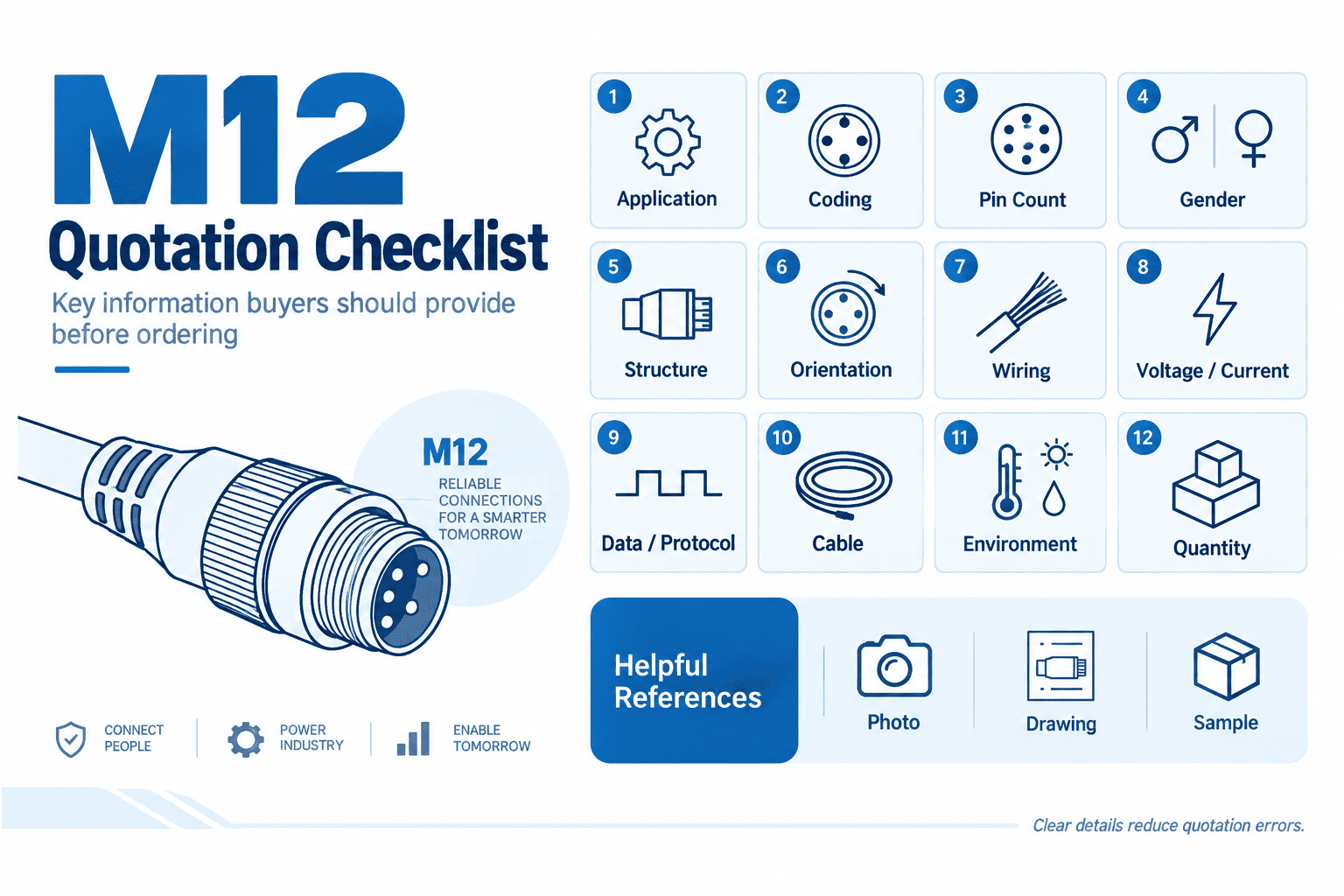
I would put the following information in an RFQ:
I would then compare the supplier’s response against those inputs. A quotation that says only “M12 B-coded cable” leaves too many questions open. I would ask for a product drawing, datasheet, and cable wiring information before treating it as a match.
For an OEM design, I recommend reviewing samples and drawings before locking in a bill of materials. For a replacement, I recommend starting with the original equipment documentation and recording any proposed deviation. For a network expansion, I recommend involving the person responsible for the network design so the purchased assembly matches the documented interface.
Certification claims deserve the same discipline. If a project calls for specific approvals or test documentation, I would ask the supplier for the relevant current documents for the exact product, then have the buyer’s quality or engineering team review them. A general claim about a product family is not a substitute for evidence tied to the ordered item.
At NITAI, we support connector and cable assembly inquiries with product documentation, sample development, and customization discussions. I can use those materials to help a buyer compare options, but I would leave application-specific acceptance to the buyer’s qualified engineering team.
A buyer can collect correct facts and still make the wrong choice if those facts are checked in the wrong order. I prefer to begin with the installed or planned equipment interface. Then I work outward to the connector, cable assembly, and supplier documentation.
I would first identify whether the equipment port serves a general sensor/actuator connection or a specified fieldbus interface. Next, I would verify its coding and mating details against the equipment drawing. Finally, I would compare the proposed part’s pin assignment, ratings, and assembly specifications with the application requirements before approving samples or an order.
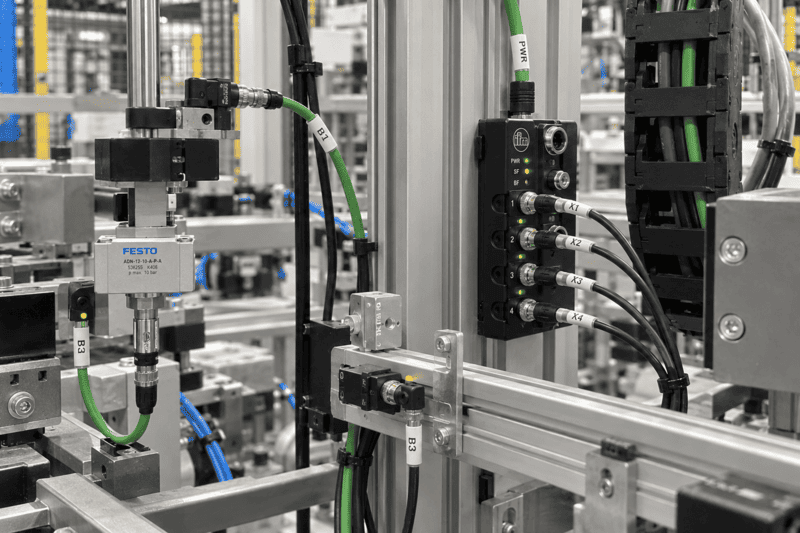
My sequence is deliberately simple:
This order prevents an application label from becoming an unsupported compatibility claim. If the port serves a sensor, I do not automatically approve every A-coded product. If the port serves PROFIBUS, I do not automatically approve every B-coded assembly. I check what the equipment manufacturer actually specified.
I also distinguish between selecting for a new design and selecting for an existing machine. A new design gives the engineering team an opportunity to define and document the interface. An existing machine constrains the choice: the new part must match the installed interface unless a qualified team has approved a broader design change. In both cases, a controlled drawing makes future purchasing easier.
When I review a supplier proposal, I want its part number linked to a revision-controlled specification. That gives engineering and procurement a common reference when they discuss samples, substitutions, or repeat orders. It also helps the team explain why a seemingly similar M12 listing was rejected.
No. I would not infer interchangeability from contact count or M12 thread size. The connectors have different mechanical keying. I would check the mating-face drawings first, then verify the pin assignment, electrical requirements, and assembly details for any proposed replacement.
No. I commonly see A-coded interfaces discussed for sensors, actuators, and I/O, but an A-coded connection can also serve an application such as IO-Link when the equipment is designed for it. I would use the device and port documentation to identify its actual function.
No. I describe B-coded M12 as commonly associated with PROFIBUS-DP and certain fieldbus interfaces, not as a universal statement about every product. I would confirm the required protocol, connector specification, and cable assembly against the equipment and network documentation.
I would send the original part number and equipment drawing if they are available. A clear mating-face drawing, pin assignment, and cable specification are also useful. If I had only a photograph, I would ask a qualified person to verify the installed interface before approving a substitute.
The key difference between A coded and B coded M12 connectors is mechanical keying, while their typical applications offer useful—but not definitive—selection clues. I would start with the equipment role, confirm the specified mating interface, and then check the pin assignment and assembly requirements. That approach is safer than buying by thread size, appearance, or coding name alone. If you are sourcing an M12 connector or custom cable assembly, send NITAI your equipment drawing and application requirements so we can review suitable options with you.
"IEC metric screw sized connectors", https://en.wikipedia.org/wiki/IEC_metric_screw_sized_connectors. M12 coding specifies aspects of the connector interface; a device's circuit function and communication requirements must be established from its separate interface documentation. Evidence role: definition; source type: institution. Supports: Connector coding describes a mating interface but does not replace device-level pin assignment or protocol documentation.. Scope note: The source clarifies the scope of coding rather than determining the function of any particular port. ↩
"IEC metric screw sized connectors", https://en.wikipedia.org/wiki/IEC_metric_screw_sized_connectors. The applicable M12 connector specification distinguishes A-coded and B-coded mating interfaces by their keying geometry. Evidence role: definition; source type: institution. Supports: An applicable connector standard distinguishes the A-coded and B-coded mating interfaces.. ↩
"IEC metric screw sized connectors", https://en.wikipedia.org/wiki/IEC_metric_screw_sized_connectors. M12 identifies the threaded connector interface; coding imposes further mating-face requirements, so a shared M12 designation alone does not establish compatibility. Evidence role: mechanism; source type: institution. Supports: M12 identifies a threaded connector family, while coding specifies additional mating-interface geometry.. ↩
"IEC metric screw sized connectors", https://en.wikipedia.org/wiki/IEC_metric_screw_sized_connectors. Specified mating-face geometry differs between coding types; matching thread size or contact count does not remove that geometric distinction. Evidence role: mechanism; source type: institution. Supports: M12 coding defines mating geometry independently of the thread designation and number of contacts.. ↩
"IEC metric screw sized connectors", https://en.wikipedia.org/wiki/IEC_metric_screw_sized_connectors. Mechanical keying constrains connector mating by requiring corresponding interface geometry; it does not, by itself, verify electrical compatibility. Evidence role: mechanism; source type: education. Supports: Mechanical keying constrains which connector interfaces can mate.. Scope note: This explains the general purpose of keying, not the performance of a particular connector. ↩
"M12 Industrial Automation Connectors", https://amphenolltw.com/news-events/119.html?srsltid=AU7gw4U4Ae_jmTJmnvOkWm7h6uzOSFx2zAfxzT05nvHdm763-o4AoEGb. Industrial connector guidance identifies sensor and actuator I/O as established applications for A-coded M12 interfaces; the coding does not establish the function of an individual port. Evidence role: general_support; source type: institution. Supports: Technical guidance associates A-coded M12 interfaces with sensor and actuator connections.. Scope note: Application guidance describes common use, not the wiring or purpose of every A-coded connector. ↩
"IO-Link", https://en.wikipedia.org/wiki/IO-Link. IO-Link interface documentation describes A-coded M12 connections for specified device and master ports; this establishes a communication use, not compatibility with every A-coded assembly. Evidence role: case_reference; source type: institution. Supports: IO-Link documentation specifies applications using A-coded M12 interfaces.. Scope note: The applicable port type and pin assignment still depend on the device specification. ↩
"Profibus", https://en.wikipedia.org/wiki/Profibus. PROFIBUS installation documentation identifies B-coded M12 connectors for specified network connections; that association does not make B-coding a complete protocol specification. Evidence role: case_reference; source type: institution. Supports: PROFIBUS installation documentation describes B-coded M12 interfaces.. Scope note: The reference supports a documented PROFIBUS use, not a claim that every B-coded port runs PROFIBUS-DP. ↩
"Profibus DP Cable Specifications Guide | PDF", https://www.scribd.com/document/595328664/Profibus-DP-Cable-Specifications-v020. PROFIBUS installation guidance addresses cable and shielding requirements alongside connector selection; matching the connector face alone therefore does not establish suitability for a network installation. Evidence role: general_support; source type: institution. Supports: Fieldbus installation guidance specifies cable and shielding characteristics in addition to connector interfaces.. Scope note: Specific cable requirements depend on the network design and applicable installation specification. ↩
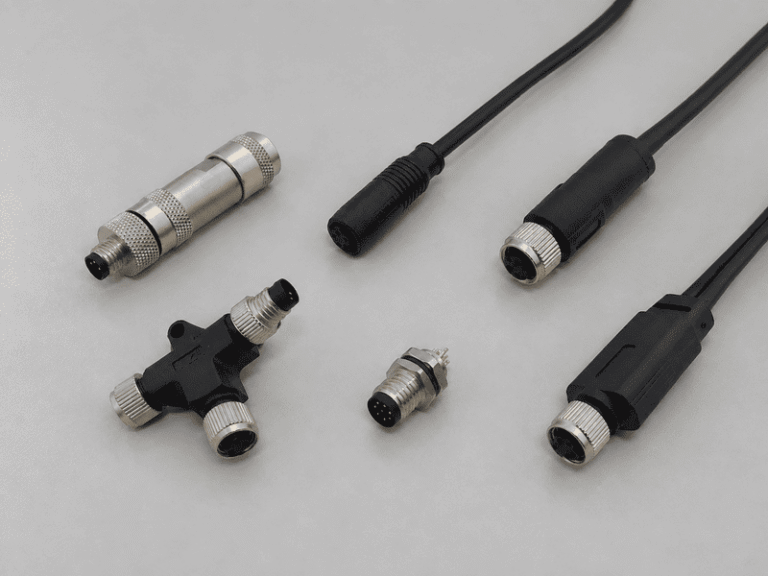
An M8 8 pin female connector can look like the right replacement on a purchasing list and still…
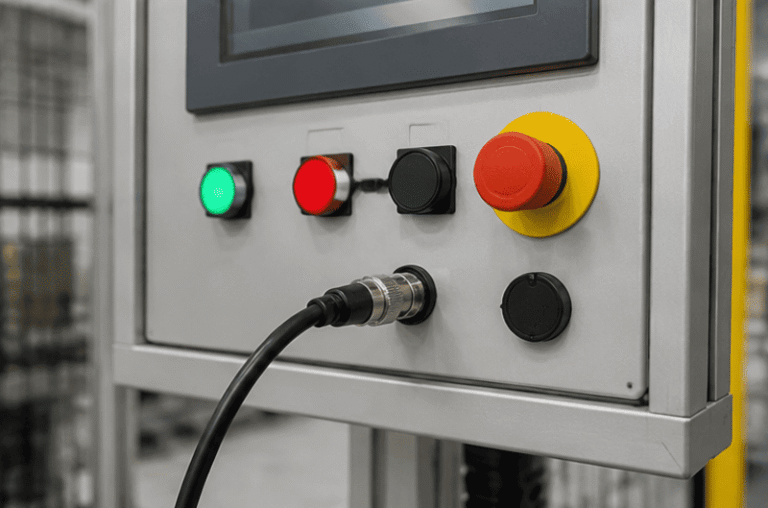
An M12 male connector 5-pin B-coded may look like a straightforward line item, but its name does not…
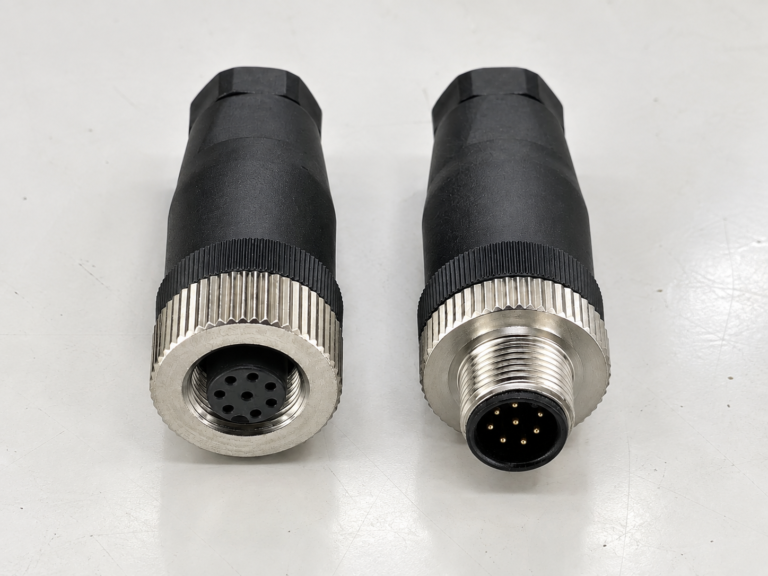
M12 connectors can carry different voltage ratings, so a buyer cannot choose one safely from the connector size…
NITAI manufactures terminal blocks, M8/M12 waterproof connectors and industrial distribution modules for global OEMs, distributors and automation customers.
Leave a Reply